Websites
Online Kalooki: how I built a multiplayer card game
How I built K40, a way to play Kalooki online on any device: the UK rules, live sync, reconnecting mid-hand, an exact ledger and updates that wait.
 Ben Harvie10 min read
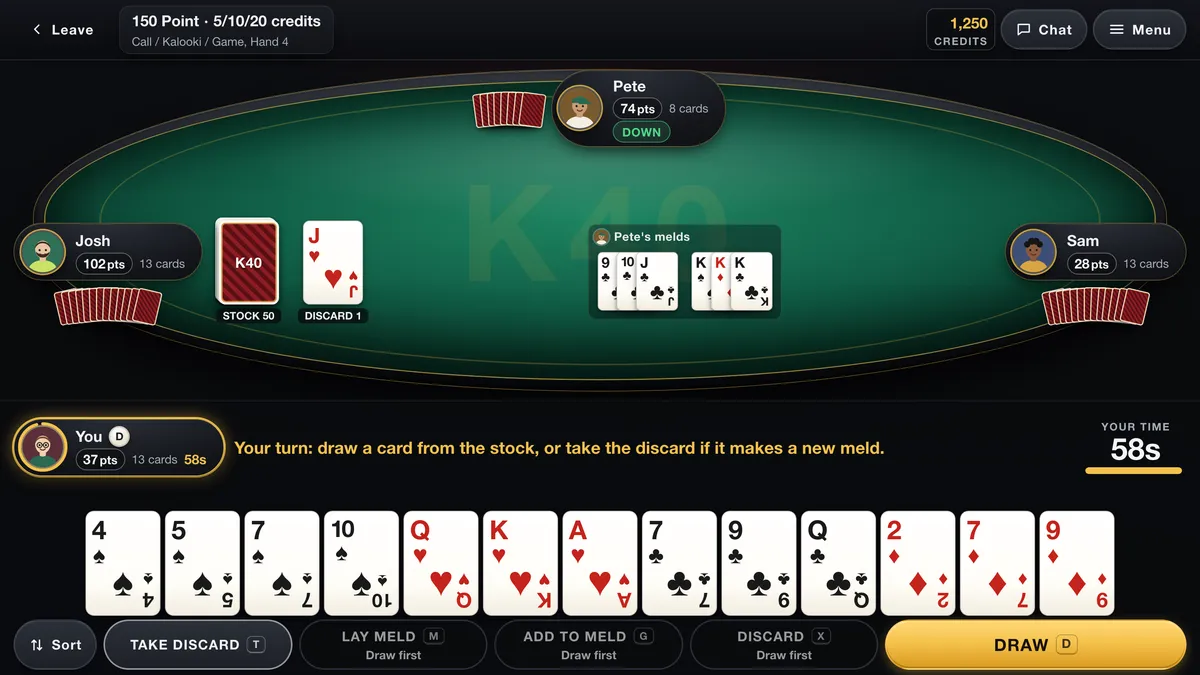
K40 Online Kalooki is a card game I built for a client in three days: a way to play Kalooki online against real people, at a table of two, three or four, on a phone, a tablet or a computer. This post is about how it works and why it is built the way it is. If you came here because you love the game, the first section is for you. If you run a business, the parts about keeping everybody in sync, keeping the numbers exact and not breaking anything during an update are the same problems your own booking or ordering system has, just with cards.
What Kalooki is and how it is played
Kalooki is a rummy game, which puts it in the same family as games most people already know, such as Gin Rummy and Rummy 500: you collect cards into groups and try to get rid of your hand before anybody else. It goes by several spellings. Pagat, the long-running card game rules site, files it as Kaluki and notes that Kalookie and Kalooki are common alternatives. The same name also covers some quite different games abroad, including a Caribbean version built on Contract Rummy, so it is worth knowing which one you are sitting down to.
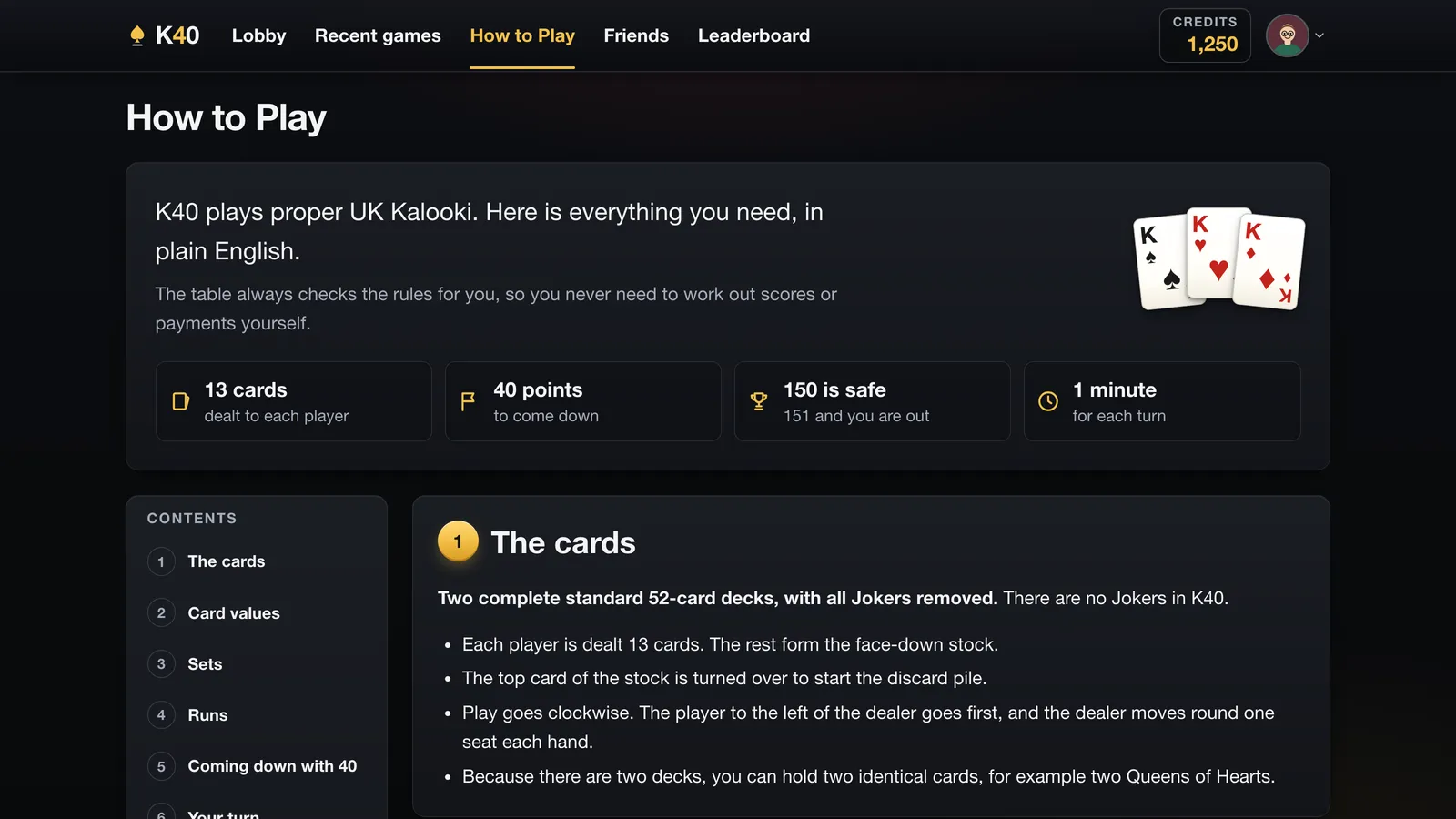
K40 plays the British two-pack game. These are the rules as the game itself enforces them:
- Two full 52-card decks are shuffled together, 104 cards, with the jokers taken out. Many written versions of British Kaluki use two jokers; K40 deliberately does not.
- Everybody is dealt 13 cards. The rest form the stock, and the top card is turned up to start the discard pile.
- A set is three or four cards of the same rank, each in a different suit. A run is three or more cards in a row in one suit, with the ace high only, so Q-K-A counts and A-2-3 does not.
- Your first lay-down, called coming down, must add up to at least 40 points. Aces count 11, picture cards 10 and the rest their face value.
- You may only take the top discard if it goes straight into a new meld. Once you are down you can add single cards to any meld on the table.
- You call by discarding your last card. Laying down all 13 in one turn without having come down earlier in the hand is a Kalooki, sometimes called a bomber.
There are two ways to play, and they suit different evenings.
| Call-Up | 150 Point | |
|---|---|---|
| How long | One hand | Hand after hand until one player is left |
| Who wins | The first player to call | The last player still on 150 or under |
| Scoring | None kept | Cards left in your hand count against you |
| Going out | Not applicable | 151 or more and you are out, unless you rebuy |
Each table has a stake in credits. Credits are a balance that only the operator's administrators can add or remove. There is no cashier, no deposit button and no card payment anywhere in the app, and it is for adults only. How credits relate to anything outside the game is handled by the operator, not by the software, so that is all I will say about them here.
Why build it as an installable web app
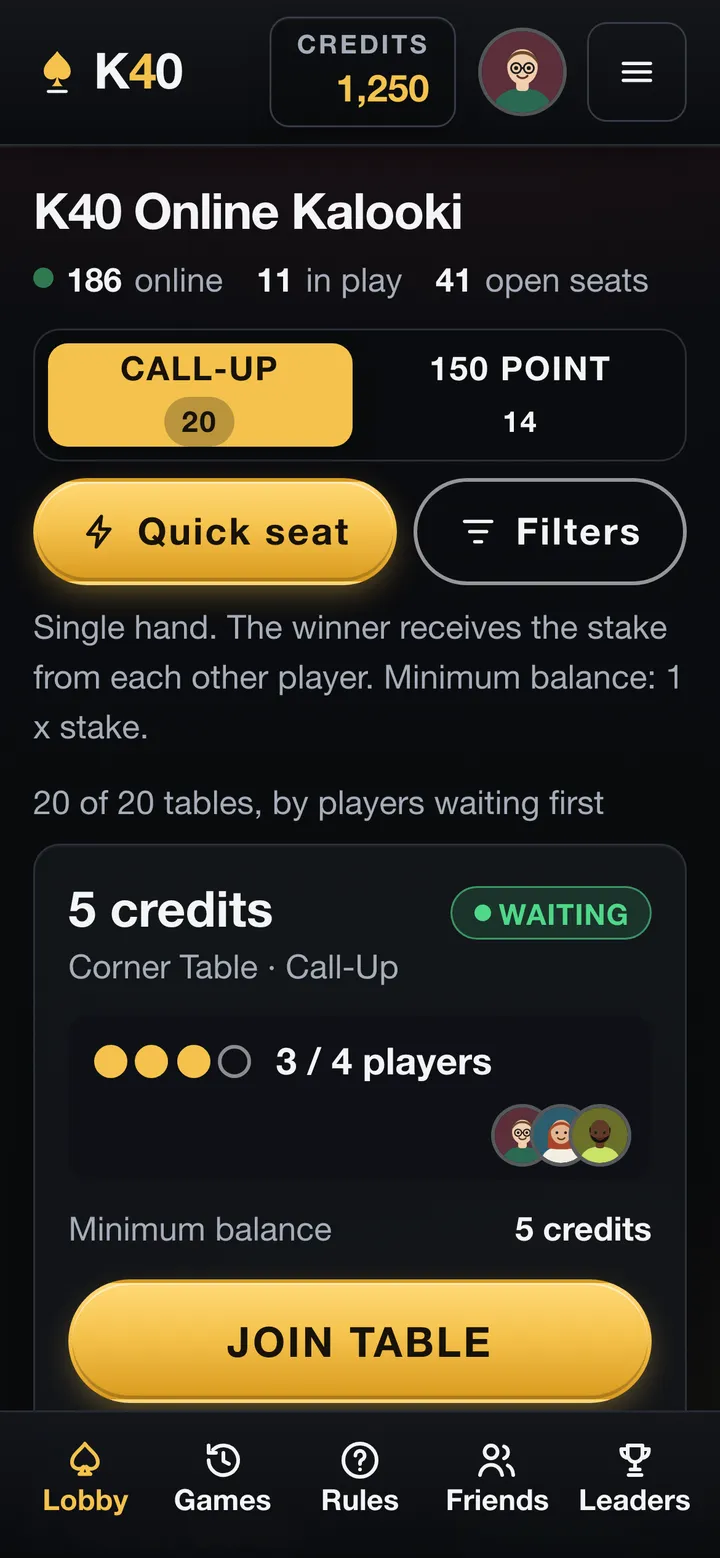
K40 is a website you can install. Open it in a phone's browser, add it to the home screen, and it opens full screen like any other app, straight into the lobby. It is not in an app store, and that was a choice rather than an oversight.
An app store adds a review queue to every fix, a second and third version of the same product to maintain, and a download that stands between somebody hearing about the game and playing it. A web app is one link. An update reaches every player at once without anybody pressing anything. The cost is honest: the installed version stores only the shell of the app, so there is no offline play, and that is fine for a game that needs other people anyway.
Designed for every device and every pair of eyes
K40 was designed for an older crowd than most online games, and the design starts there. The brief I set myself was players aged 40 to 70: no text a player has to read smaller than 14 pixels, buttons at least 44 pixels tall so a thumb can hit them, and no page that scrolls sideways at any common phone width.
The table has four layouts rather than one that stretches: a desktop, a tablet, a phone held upright and a phone on its side. Sideways on a phone is the hardest of the four, because there is barely enough height for thirteen cards and the buttons, so it got the most attention.
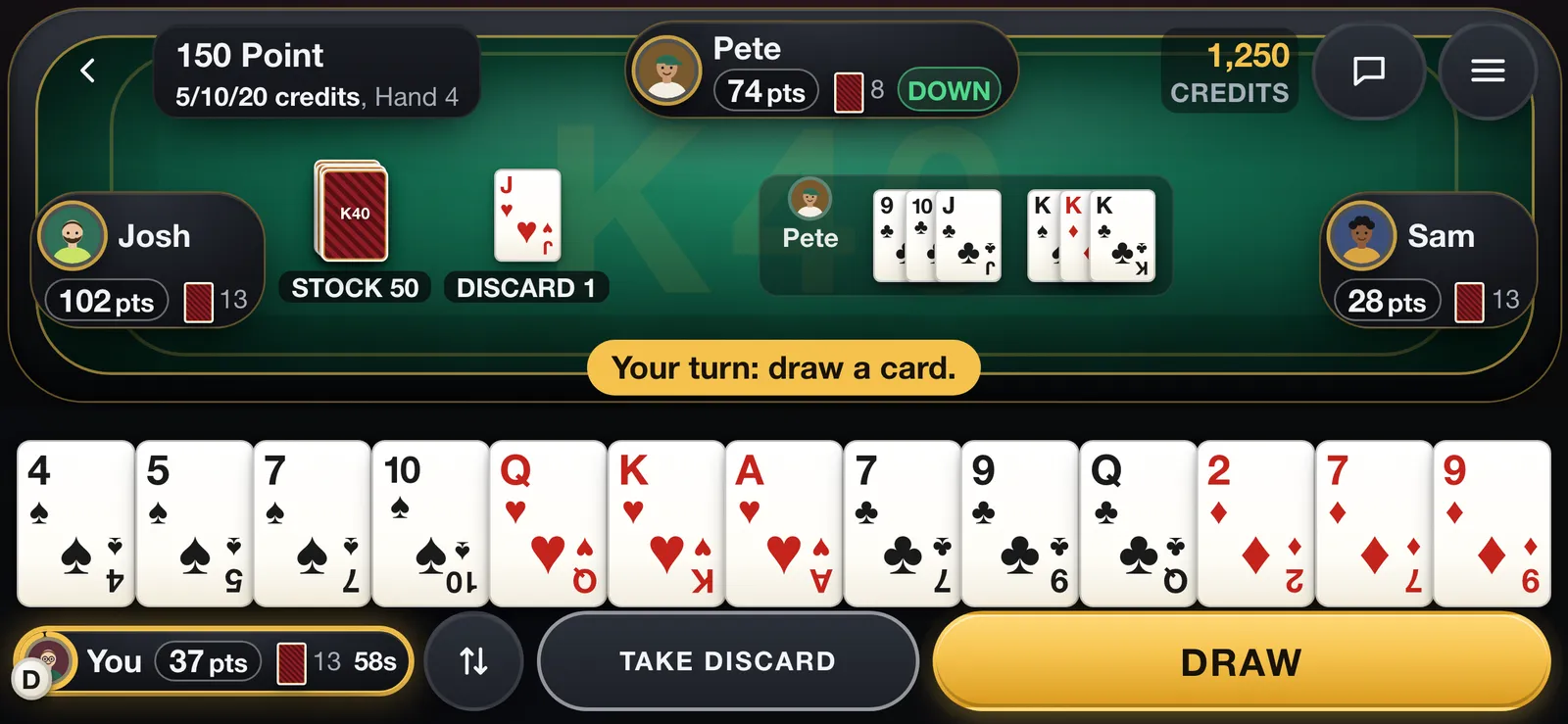
On top of that sit the settings that make it readable for a particular person rather than an average one:
- Three looks: Classic, in bottle green and cream with the largest type and very little movement; Modern, the default; and Pro Dark, in charcoal and gold, which is the one in these screenshots.
- Four text sizes and three card sizes, chosen per device.
- A four-colour deck (spades black, hearts red, diamonds blue, clubs green), so a diamond is never mistaken for a heart.
- Reduced motion, which follows the device's own accessibility setting and can also be switched on in the game regardless.
- Keyboard shortcuts on a computer, and a vibration on a phone when it is your turn.
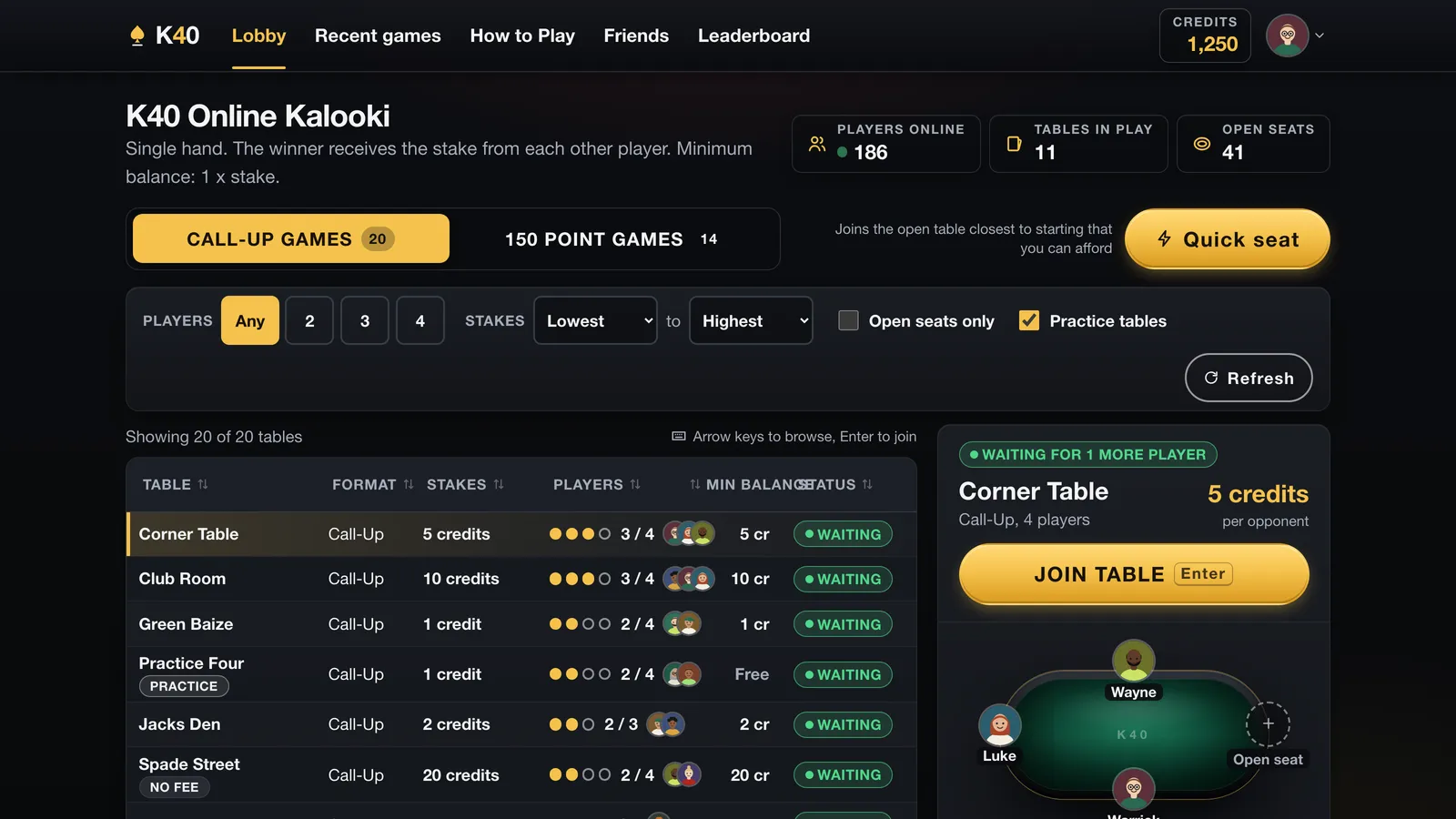
Real-time multiplayer game development: one source of truth
The hard part of a live game is not drawing the cards. It is making sure four people on four devices on four different connections all see the same table, and that nobody can do anything the rules do not allow. K40 solves that the only way that holds up: the server is the referee, and the browser only asks.
Each player's device keeps a live connection open to the server (a WebSocket, a connection that stays open so either end can speak at any moment). When you press Draw, your device does not draw a card. It sends a message saying you would like to, along with the version of the table it was looking at. The server checks it is your turn and that the move is legal, writes the result to the database, and only then tells everybody what happened. If your device was looking at an out-of-date table, the move is refused and you are sent the current one. If you tap twice, the second tap is recognised as the same request and ignored.
Two more rules make it fair rather than merely tidy. The shuffle uses a cryptographically secure random number generator on the server, and your device only ever receives your own cards: the other hands never leave the server, so there is nothing hidden in the page for anybody to dig out. Every deal and every move is also written to a log that can only be added to, which is what lets the owner replay any hand step by step if a player disputes it.
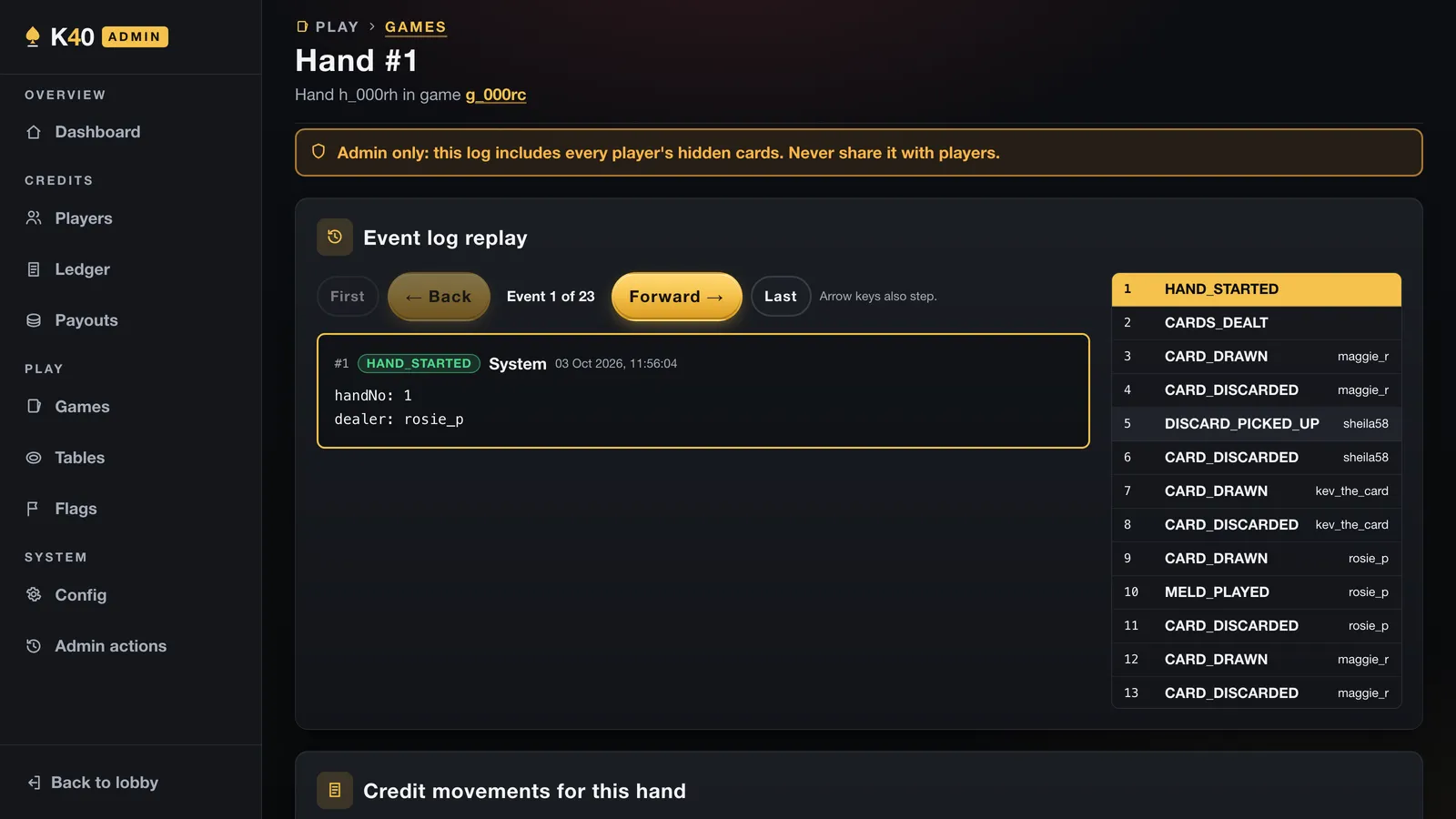
Dropping out and getting back in
Phones lose signal. A game that punishes that loses its players. In K40 a dropped connection keeps its seat; the device keeps trying to reconnect, waiting a little longer each time, and when it gets through it is sent a snapshot of the table exactly as it stands. You are back in the same hand with the same cards.
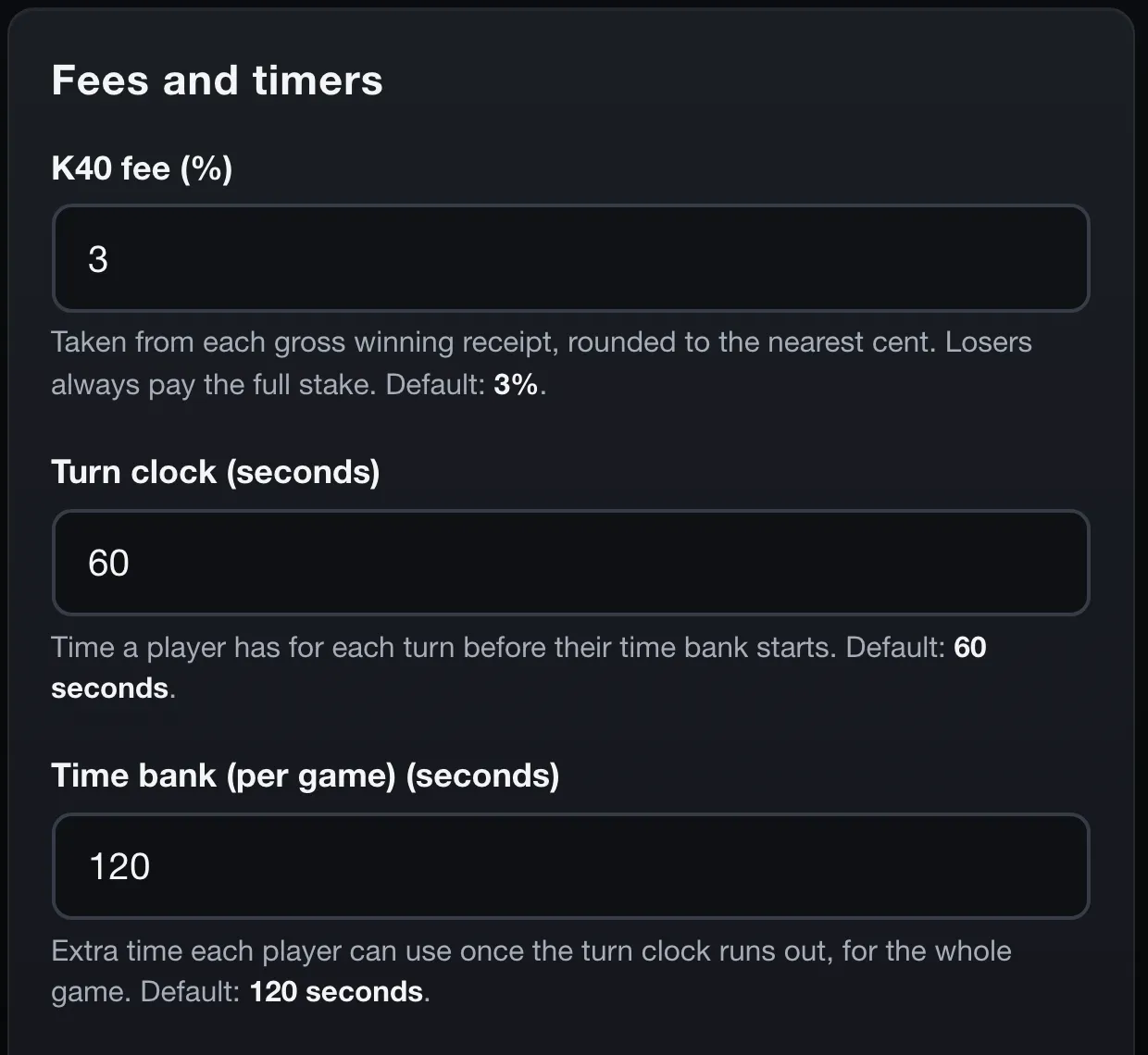
What protects you while you are gone is the clock. Each turn has 60 seconds, and on top of that each player has a 120-second time bank for the whole game, which starts draining only once a turn's own minute has run out. A short drop eats into the bank rather than costing you the hand. If both run out, the table plays for you, drawing and discarding so the game can carry on, and three timeouts in a row counts as leaving. All of those numbers are on the owner's settings page rather than in the code, and a change applies to new games only, never to one already being played.
A ledger that adds up exactly, and backups every night
Credits are kept the way an accountant would want money kept. Every balance is a whole number of hundredths of a credit, so nothing is lost to rounding. Every movement is a line in a ledger that can only be added to: the database itself refuses an edit or a deletion, so a correction is a new line that reverses the old one, and the history stays intact. A player's stake is held on their seat before the deal, and every payout carries a unique key, so no game can pay out twice even if the server is asked to settle it twice.
The owner's dashboard checks the whole thing every time it opens: everything ever issued, plus or minus everything won and lost, minus fees and payouts, must equal what is in players' balances right now. If the two differ by a single hundredth, it says so.
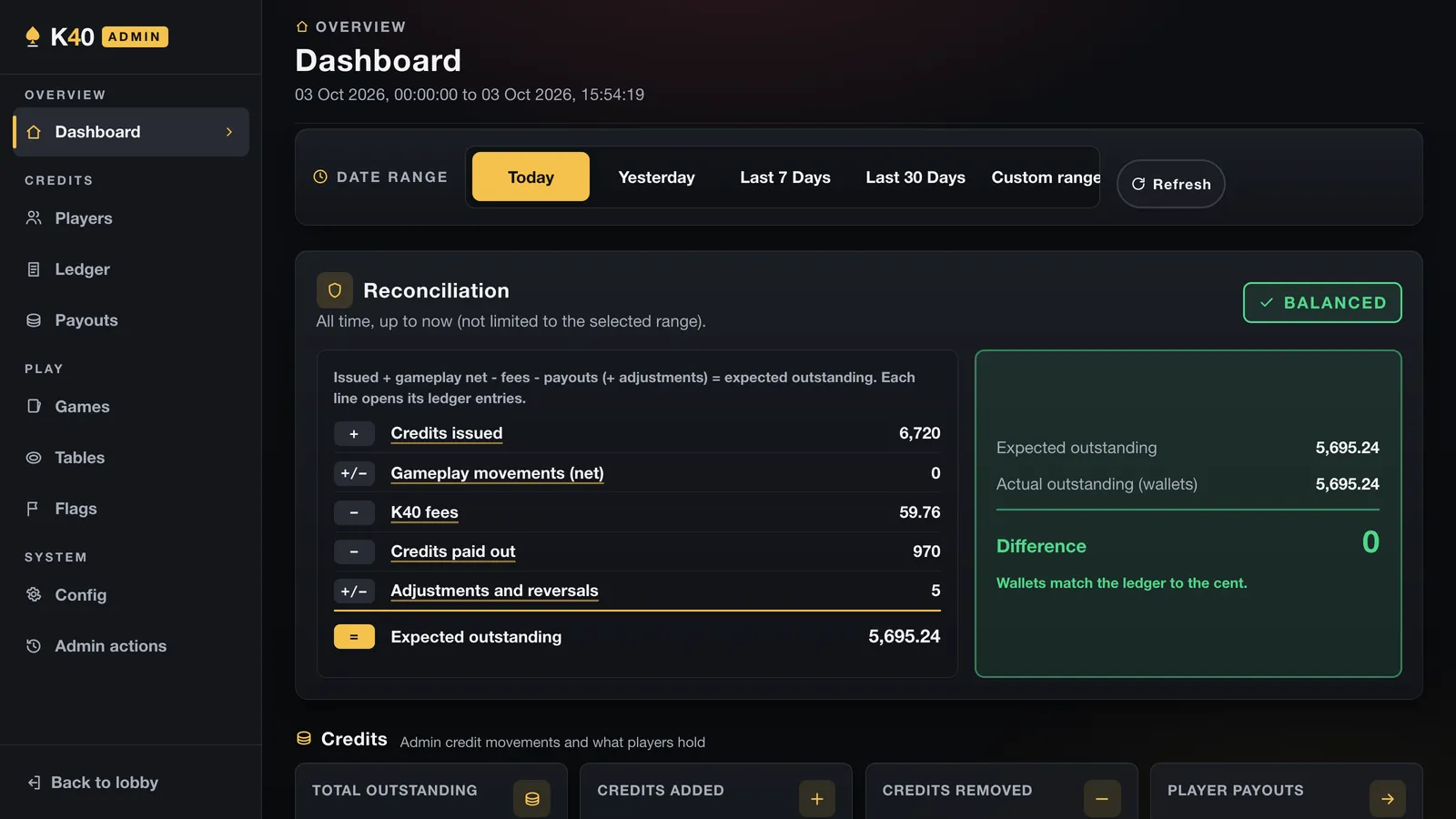
The database is backed up every night, each copy is checked to be readable before it is kept, a week of copies stays on the server, and a separate machine pulls them down each day and keeps a month. A backup nobody has ever restored is a hope rather than a backup, so the instructions for restoring one are written down next to the script.
Updates that wait for the game to finish
Here is a detail most people would never think about. Live games are held in the server's memory, so restarting the server to install an update would end every game in progress. For a player halfway through a 150 Point game, that is the worst thing the software could do.
So an update does not just restart. The new version is built and checked alongside the running one first. Then the game switches into a maintenance mode in which no new game starts, but every game already being played carries on normally. Somebody trying to sit down sees a short message saying K40 is updating and seats open again in a few minutes. The update checks every ten seconds and waits until the last live game has finished. Only then does it switch over and restart, and if the new version does not report healthy within a minute, it rolls back to the old one on its own. If games are still running after nearly two hours, the update gives up and the current version simply keeps going.
When you should not build something like this
The unwelcome part. Three days was possible for reasons that rarely apply to a business project, and it would be misleading to pretend otherwise.
The rules of Kalooki were fixed and written down before a line of code existed, so the brief was unusually complete on day one. The rules engine was built and tested on its own, with no screens attached, so hundreds of automated tests, including whole simulated games, could check the rules while the interface was still being drawn. Most business projects start with far more open questions than a card game with written rules, and they should take longer, because the questions are where the value is.
Most businesses also do not need real time at all. If your bookings come in a few times a day, an ordinary page that saves to a database is simpler, cheaper to run and has fewer ways to go wrong. A ready-made booking tool is the right answer for plenty of salons and garages, and I will tell you so. And anything where people stake something of value raises licensing questions in the UK that need a specialist's answer before launch, not a developer's.
What a small business can take from a card game
Strip away the cards and K40 is three promises: everybody sees the same truth, the numbers always add up, and nothing breaks while somebody is in the middle of using it. Those are the same promises a booking system makes when two people want the last slot on a Saturday, an online order makes when a customer taps Pay twice on a bad connection, and a members' area makes when a renewal and a cancellation arrive in the same minute. I wrote about the booking side of this in the post on appointment reminders, and the full K40 write-up, with every feature listed, is in my case study.
They are far cheaper to design in at the start than to bolt on after a double booking or a missing payment, which is what my booking and reminder software work is about. If you have a process that needs any of the three, book a free consultation (opens in a new tab) and tell me what it is.
Talk to Ben about booking and reminder software
Fewer no-shows, repeat work that comes back on its own, and the hours you spend chasing the diary handed back.