SEO
Image SEO: how customers find your products
Find out how product photos and page text help Google understand your stock, and which image SEO jobs are worth doing.
 Ben Harvie6 min read
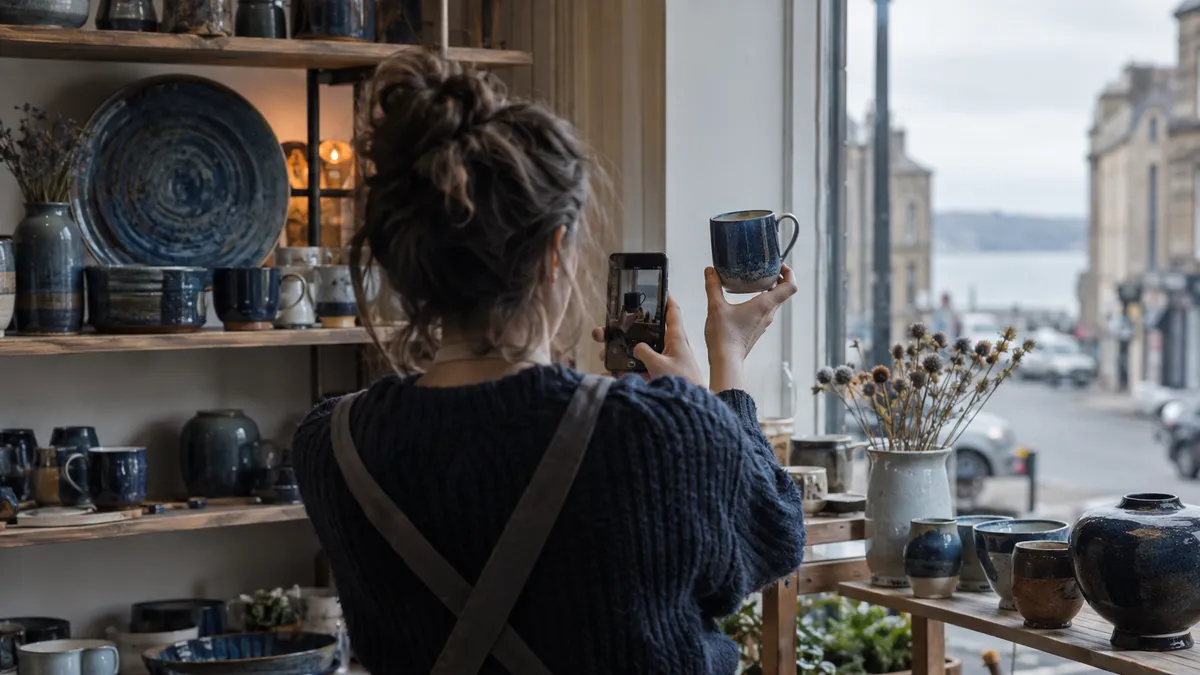
Customers can find your products through searches using images, as well as typed words. Image SEO means helping Google understand your photos and the pages around them. I'd start with useful product pages and accurate descriptions, not a paid exercise in renaming your whole photo library.
What changed in Google's image search reporting
On 24 September 2026, Google announced a worldwide rollout of reporting for searches using images. This is part of Search Console, Google's tool for reporting how your website appears in search. It gives businesses whose websites receive that traffic another way to understand how shoppers discover them.
The announcement says the rollout began that day. It doesn't establish that every website already has useful data to inspect, so I wouldn't promise an Edinburgh retailer a detailed report before checking their account.
This is a reporting change, not evidence that your photos suddenly rank better. I'd use it to ask which products attract interest and whether those visits lead anywhere useful. A new report is worth looking at, but it isn't a reason to buy a package of website changes.
Do website photos help SEO?
Yes, photos can give customers another way to discover a product, but I wouldn't treat an image as separate from its page. Google's image guidance says it gets information about an image's subject from the surrounding page content. The words beside the photograph matter.
Suppose you run a homeware shop in Musselburgh. A blue stoneware mug should sit on a page that describes that mug, including its material, colour and size. Explain whether customers can collect it or have it delivered, provided those options are available.
A photograph alone doesn't answer all a buyer's questions. They may need to know whether the mug is dishwasher safe or whether the item pictured is actually in stock. Put useful facts in readable page text rather than expecting shoppers or Google to work everything out from the picture.
How to get product photos on Google
Start with products you currently sell and want enquiries about. Give each product a useful page where that makes sense, with its name, description and relevant photos together. Uploading a collection of pictures without explaining what customers can buy leaves too much guesswork.
Check that those pages open without signing in and that their photos load on a phone. Ask whoever looks after your website to check that Google can access both the pages and the image files. Clear descriptions won't solve an access problem.
Choose photographs that show what the customer will receive. A main view might establish the shape and colour, while another image shows a fastening, finish or maker's mark. I'd choose each extra photo because it answers a question, rather than filling a gallery for the sake of it.
Keep the pictures clear without uploading unnecessarily large files that make the page slow to open. Check the actual page on a phone, not only the original photo on your computer. These steps give Google and shoppers usable material, but nobody should promise that a particular image will appear for a particular search.
Alt text for product images
Alt text is a short written description attached to an image. It helps people using a screen reader, software that reads a page aloud, understand what the picture shows. Google also uses it to understand images.
For the Musselburgh shop example, suitable alt text could be “Blue stoneware mug with a curved handle”, if that accurately describes the photograph. That tells someone what is visible. “Product image” tells them almost nothing, while a long string of search phrases makes the description harder to use.
Don't add town names simply because you want customers from those places. A photograph of a mug doesn't need Musselburgh in its description merely because the shop is there. Put collection details and the shop address in the appropriate page text instead.
Describe what makes each useful image different. If another photograph shows the maker's mark underneath the mug, describe that detail rather than repeating the main image's wording. I'd ask whether someone who cannot see the photograph gets the information it was meant to provide.
When you should not pay for image SEO
Don't buy a bulk photo-renaming job presented as a ranking breakthrough. Renaming hundreds of photo files is not a magic fix: Google treats filenames as only a small clue about an image's subject. I wouldn't sell that task as the answer to weak product sales or falling enquiries.
A descriptive name such as blue-stoneware-mug.jpg is sensible when adding a new photo. That doesn't make renaming every existing file worthwhile. Changing filenames can also break image links if the website isn't updated properly, so I'd need a reason to disturb pictures that already work.
Doing nothing is fine if your photos are clear, the pages explain the products and there is no evidence of a problem. You don't need a separate image project simply because Google has announced new reporting. Missing stock information or a broken enquiry form would get my attention before tidy filenames.
For a business that mainly sells services rather than products, a product-photo project may be the wrong priority altogether. A garage in Livingston might need clearer service information before more attention to its pictures. My post on whether a small business needs SEO can help you decide whether search work is worth buying at all.
Measure product interest rather than photo activity
Before changing anything, write down what you want more of: product orders, stock enquiries or requests to collect an item. Then record which product pages people reach from Google. A rise in visits is useful information, but it isn't the same as a rise in sales.
If the new image-led reporting provides useful data for your website, look at it alongside your existing search records. Compare periods of similar length and note changes in stock, opening hours or promotions. A product becoming available again could affect interest without proving that an image edit caused the change.
Keep search figures alongside order and enquiry records. Search Console isn't an order book, and you may not be able to connect every enquiry to a particular search. Be honest about that gap rather than giving a photo credit for a sale you cannot trace.
I'd also check what happens after someone arrives. Can they tell which item is pictured, whether it is available and how to buy or ask a question? If those answers are missing, getting more people onto the page may simply expose the same problem to more shoppers.
What I would check before recommending work
My SEO and Google Business Profile work is about helping nearby buyers find your business and take a useful next step. For a retailer, I'd first check the product pages, their photos and the search information already available. I wouldn't assume every shop needs the same changes.
I'd then explain which problems are worth fixing and which can wait. That might mean better product descriptions, clearer photographs or sorting out images Google cannot access. The recommendation should name the work and explain why it matters, rather than hide behind a promise to improve everything.
You should also know how the result will be judged. I'd agree what to watch before making changes, so a later review can discuss product visits and genuine enquiries rather than how many files were edited.
I keep WebLothian affordable on purpose so local businesses aren't priced out of useful work. Every job starts with the consultation (opens in a new tab), which is free, and a written quote before work begins.
Talk to Ben about SEO and Google Business Profile
Getting found on Google by people near you who are ready to buy, so the site earns more visits, enquiries and calls.