Case study · CI Associates
Meeting notes and CRM updates, written for the advisers
Free, no obligation, and a written quote before any work starts.
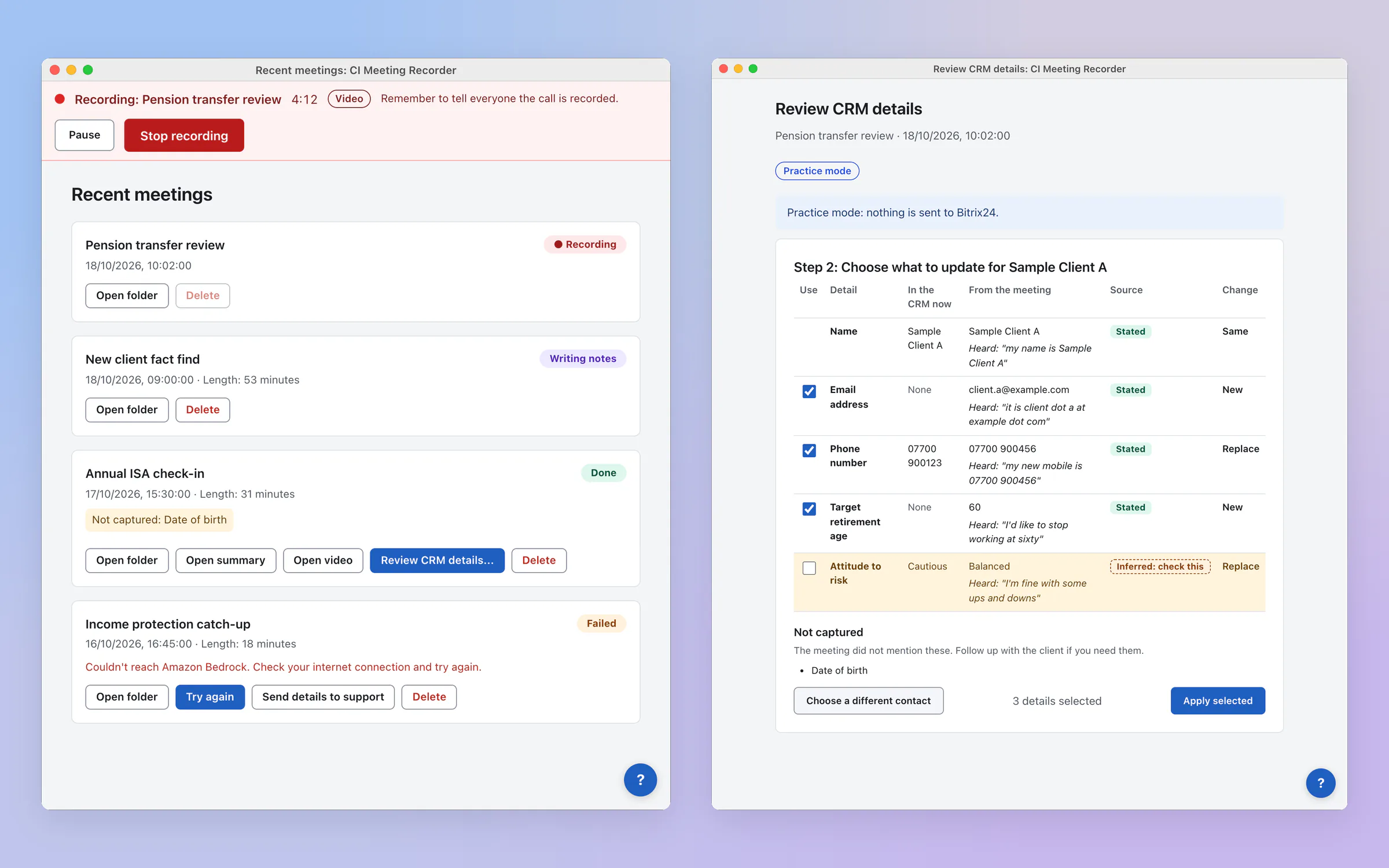
The result
How it changed the business
CI Associates are independent financial advisers with clients in the UK, Chile and the UAE. Their advisers were typing up notes after every client meeting and copying the details into the CRM by hand. I built them a meeting recorder that runs on both Mac and Windows and works with Zoom, Google Meet, Teams or any other call. It records the meeting, writes the notes in the firm's own format, lists anything the client was not asked, and shows the adviser exactly what to update in the CRM, with the client's own words as evidence. The AI runs in the firm's own Amazon Web Services account, so client conversations stay with the firm. In a separate project I also sped up how they check new leads against the CRM. They are a client, and the work is here with their agreement.
What this means for your business
An adviser is paid to advise, not to type. AI earns its place when it does the admin around a meeting, shows where every detail came from, says plainly what it did not hear, and leaves the final say on anything that goes into a client's record to a person.
What the owner gets
- Works on Mac and Windows
- Any meeting app
- Notes written for you
- CRM updates to approve
- Client data stays with the firm
The build
What it does for the owner
- One app for Mac and Windows, looking and working the same on both, that sits in the menu bar or system tray and records any call: Zoom, Google Meet, Teams or anything else using the microphone
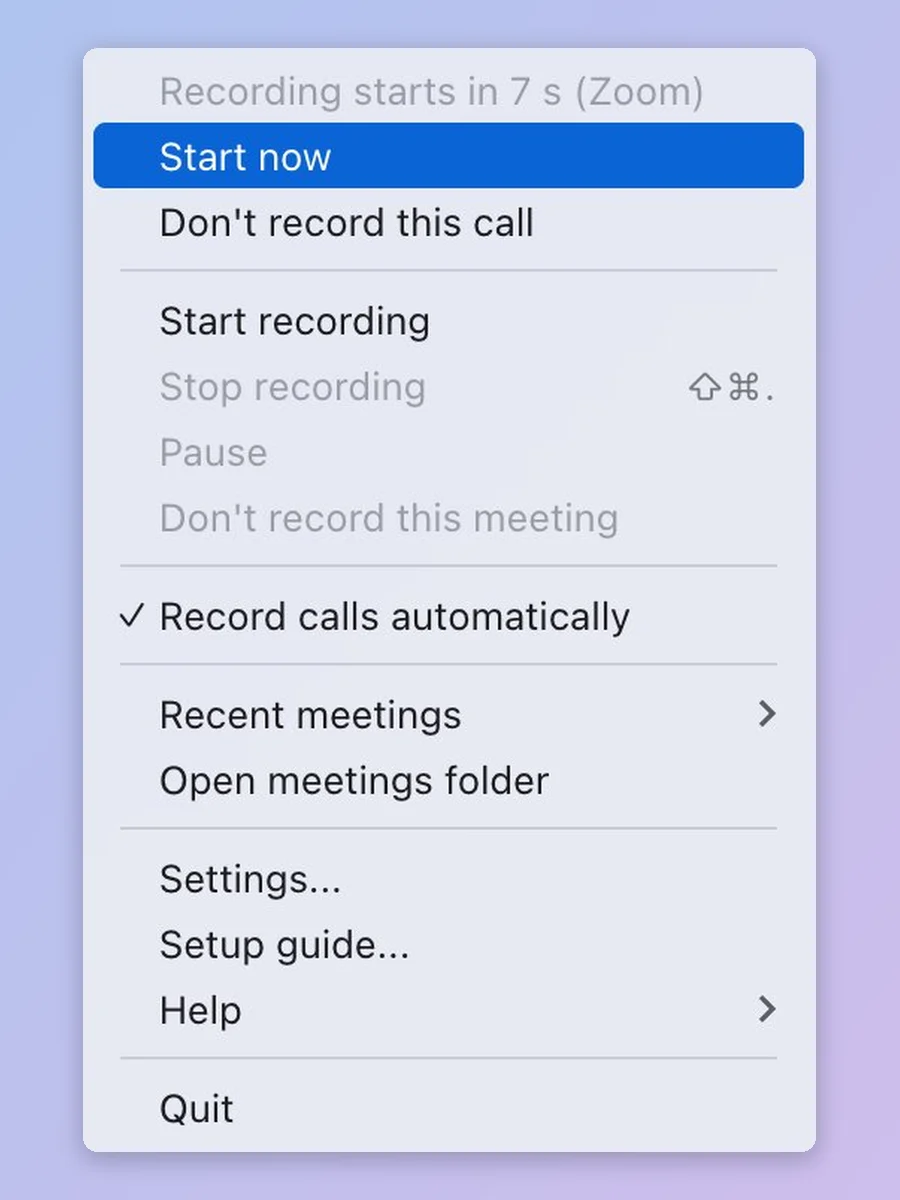
- A countdown when a call starts, with a one-click "don't record this call", a reminder on screen to tell everyone the call is recorded, and pause and stop from any window or a keyboard shortcut
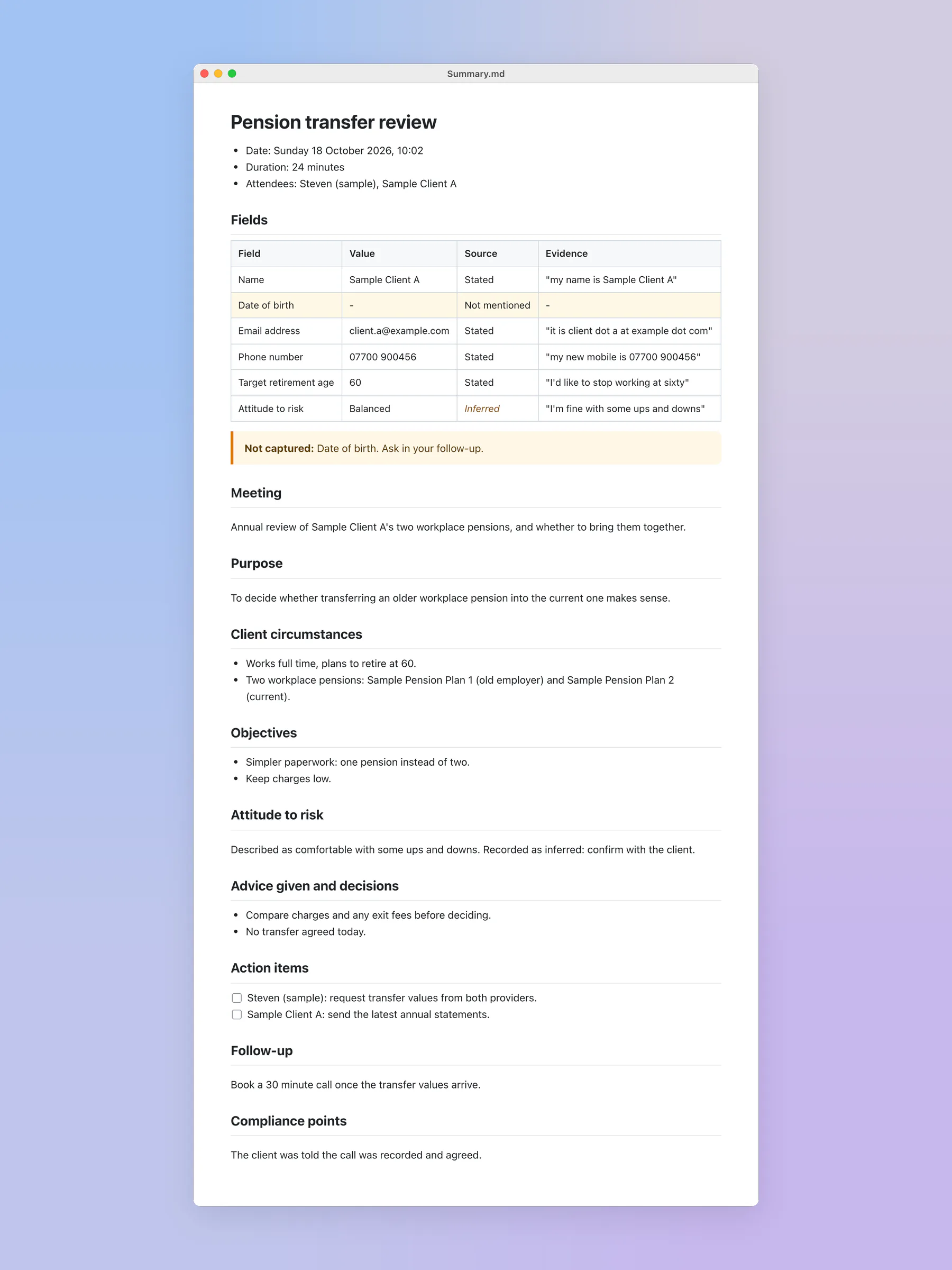
- Notes for every meeting in the firm's own format: the details they asked for, the client's words as evidence, and a flag on anything not mentioned so the adviser knows what to ask next time
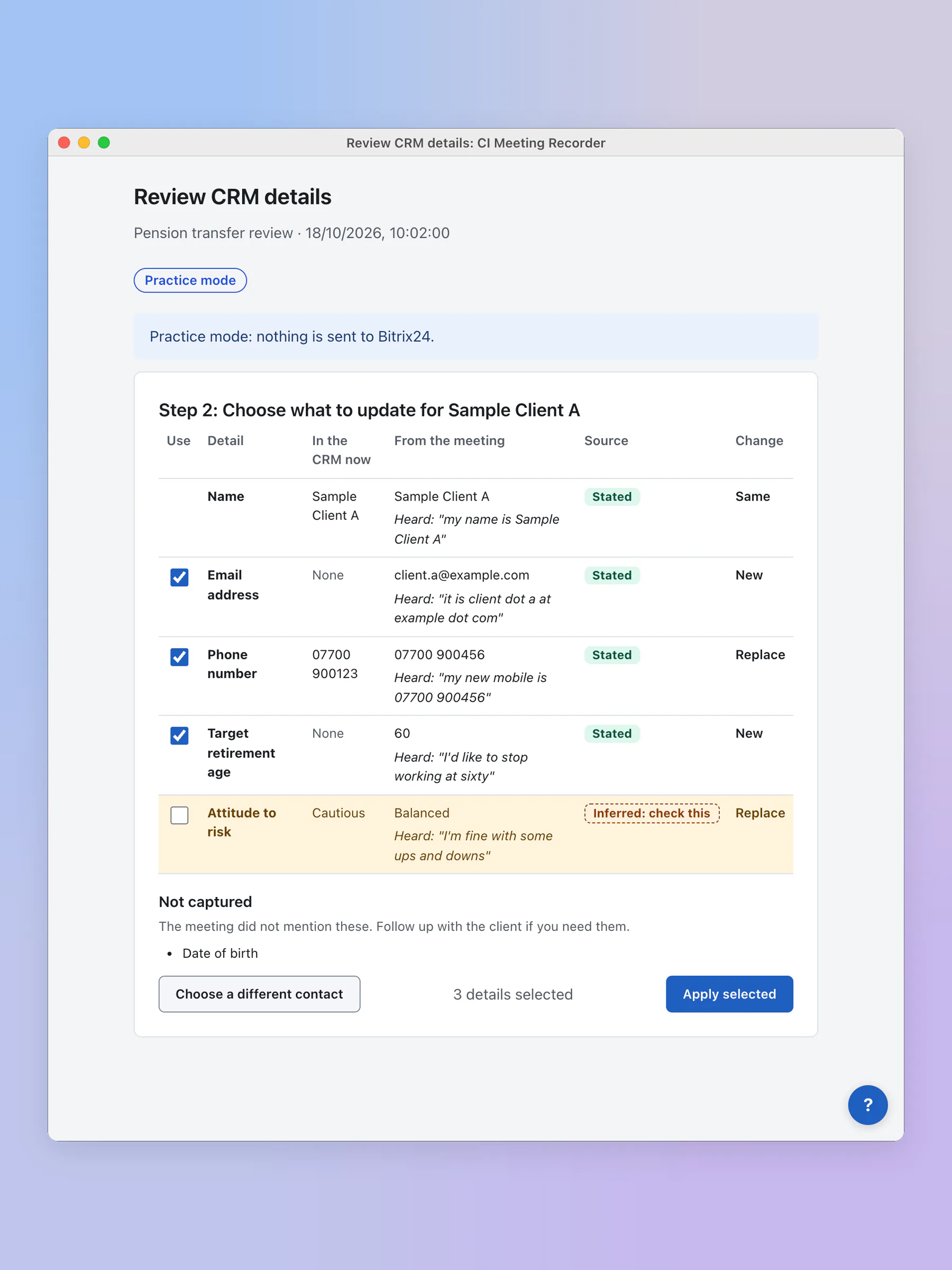
- A CRM review screen: pick the client, see what the CRM holds now beside what was said in the meeting, and tick what to update. Anything the AI worked out rather than heard is marked for checking
- Settings written for advisers rather than IT: which details to listen for, how meetings are named and filed, and a practice mode that sends nothing to the CRM until the connection has been tested
- The AI runs on Amazon Bedrock in the firm's own AWS account, the key is kept in the computer's secure storage, and a built-in help assistant answers questions about the app in plain steps
Inside the app
The screens
Screenshots with sample data. Every name and detail is fictional.
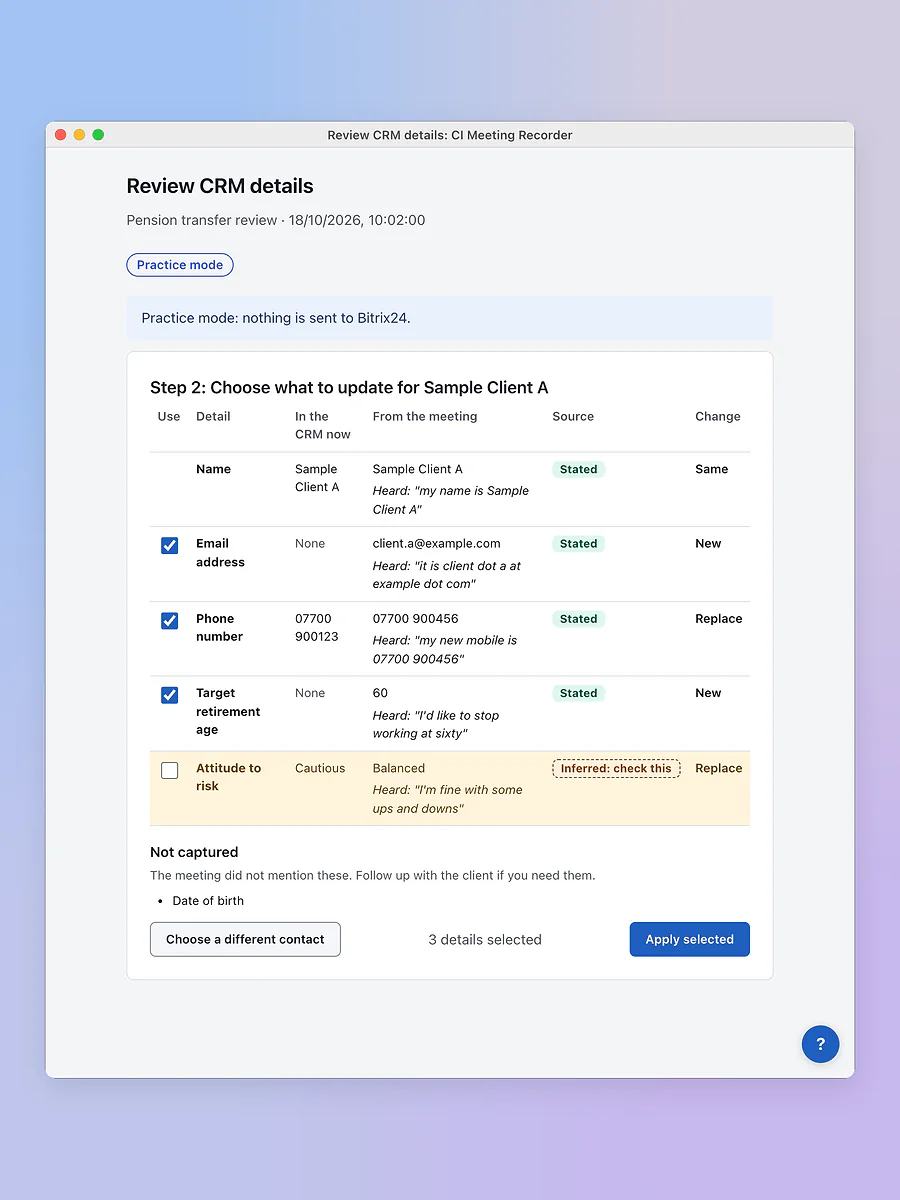
Review CRM details: what the CRM holds now beside what was said, with the words each detail came from. 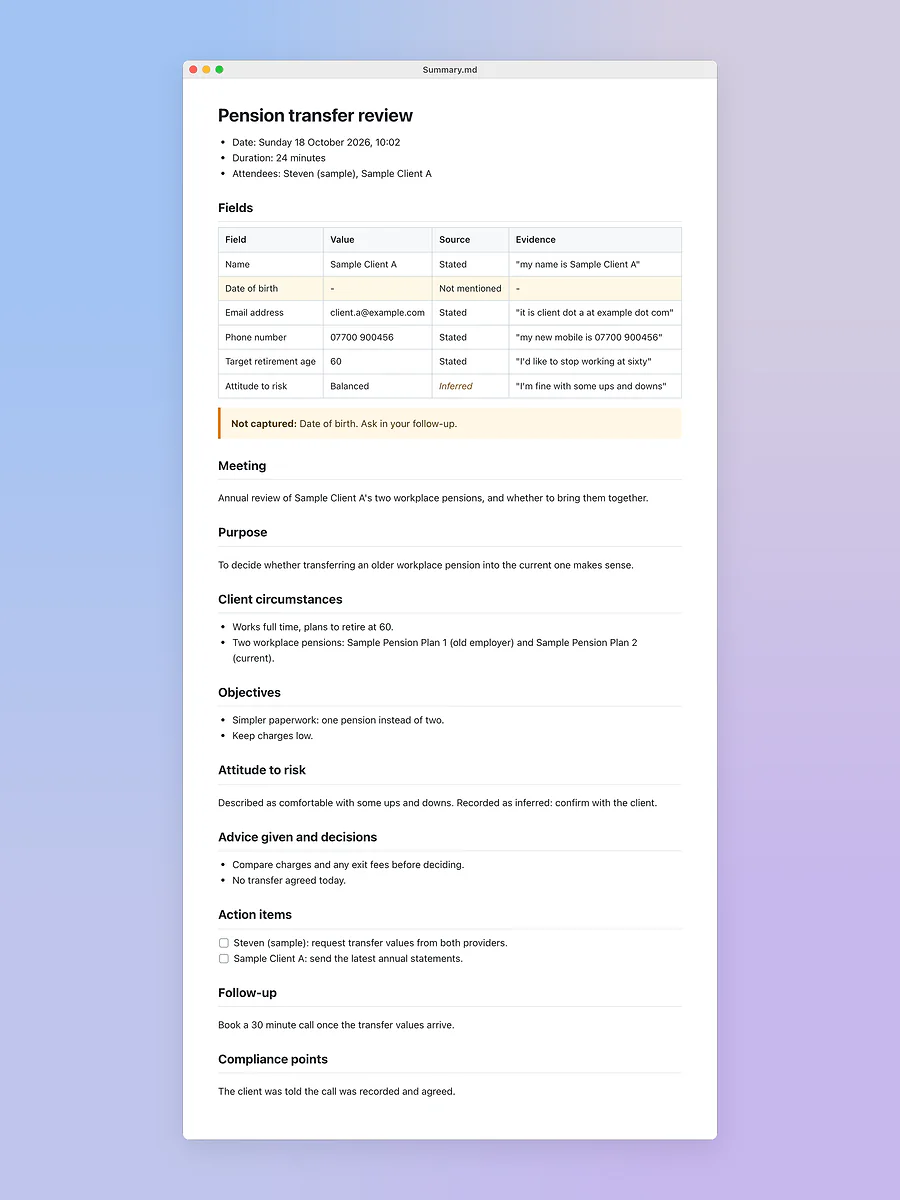
The meeting notes: the details asked for, the evidence for each, and what was not captured. 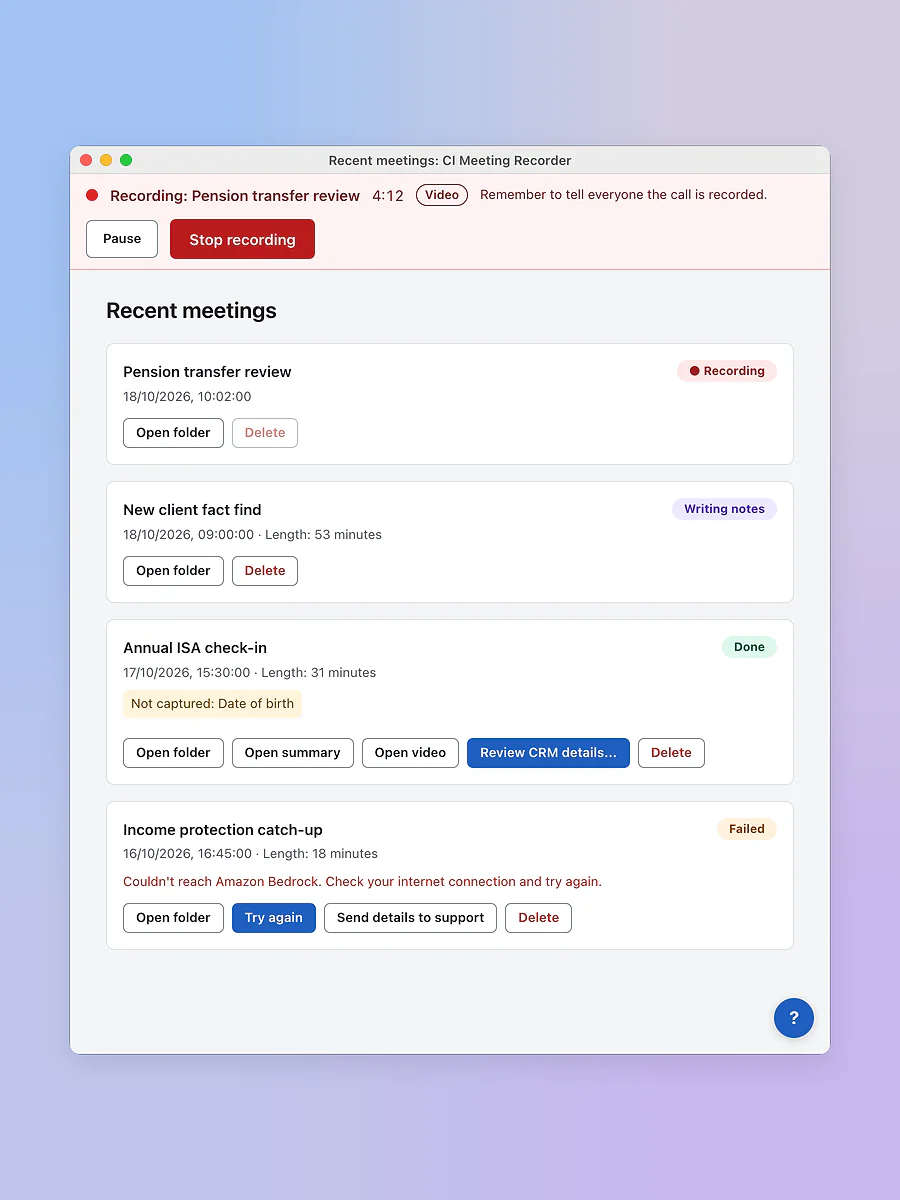
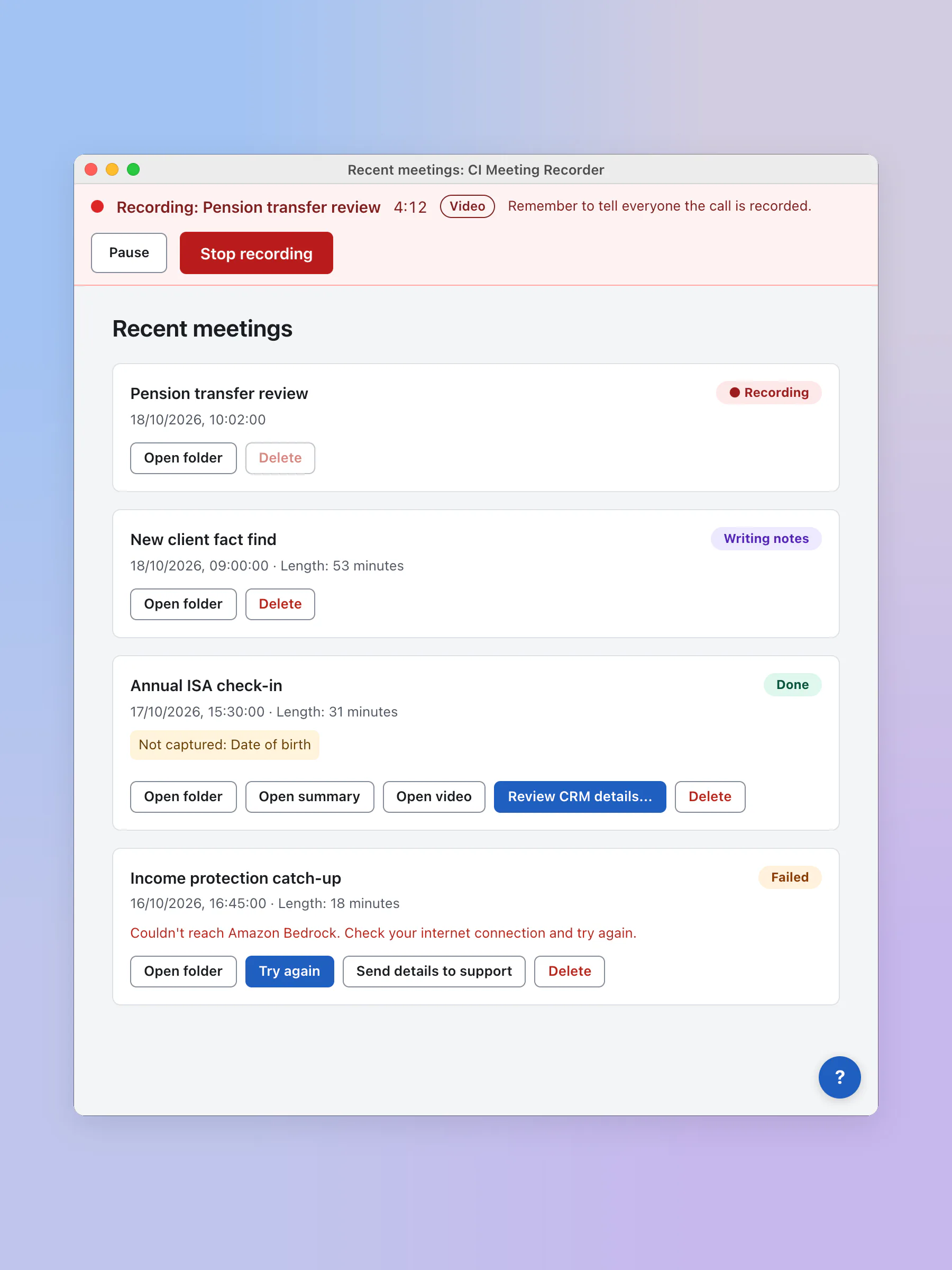
Recent meetings: recording, writing notes, done or failed, and what to do next with each. 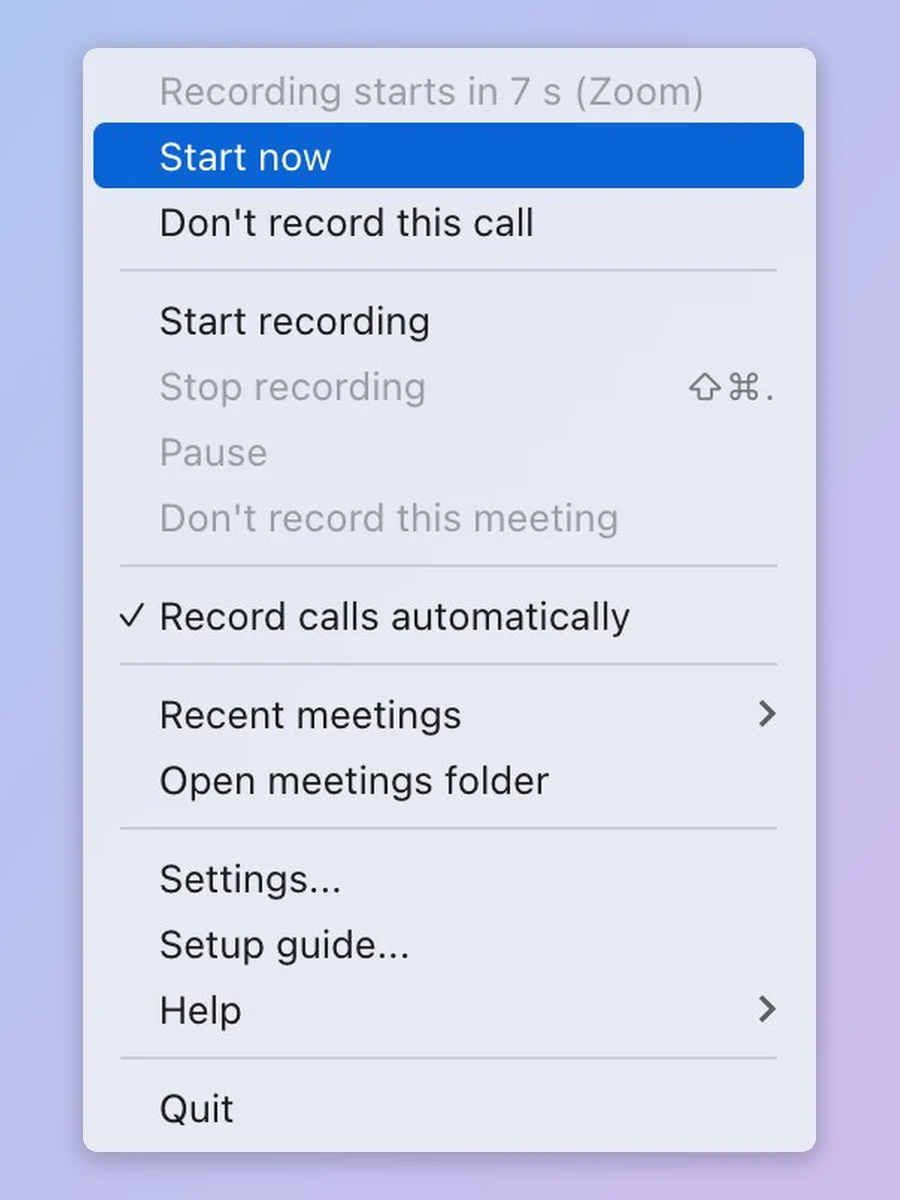
The menu bar: a countdown when a call starts, with Start now or Don't record this call.
Also for this client
A separate project: checking new leads against the CRM
Before the meeting work, CI asked for help with their lead checking. New names found by their researchers were checked against the CRM by a spreadsheet script, one at a time and in several manual stages, before they paid a data service to find each person's email and phone number.
- Every new lead checked against the whole CRM by LinkedIn profile, name and company, email and phone, so nobody already on file is paid for twice
- LinkedIn addresses tidied into one consistent form, so the same person pasted two different ways still matches
- Contact details looked up only for genuinely new people, then checked again before anything is added
- One run in place of a spreadsheet worked through stage by stage, with clean leads going straight into the CRM
Services
The services behind it
The same work is on offer for your business, one service at a time.
- AI for your businessLess admin, and customers answered out of hoursReminders that send themselves, customers answered out of hours, and a website you change by typing a sentence.See the service
- Custom softwareFewer no-shows and a diary that runs itselfFewer no-shows, repeat work that comes back on its own, and the hours you spend chasing the diary handed back.See the service
More work
More results, live today
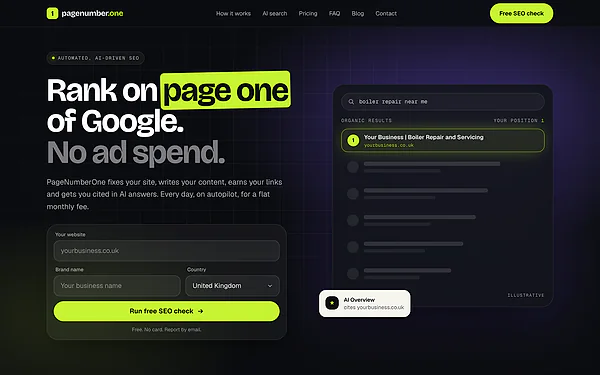 PageNumberOneAn SEO subscription service that largely runs itselfFree check, report by emailPlans ordered onlineA brief after every orderSee the result
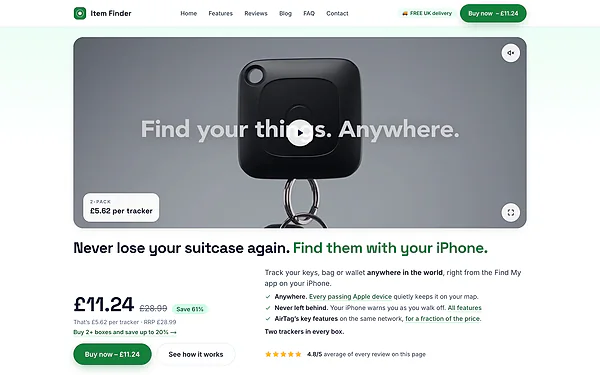 ItemFinderSix online shops, run as oneSix shops, one systemPay without leaving the pageReferral schemeSee the result
 The Filling StationFound on the map, and ordered from without a phone callBrand designWebsiteOrder onlineSee the result
Want a result like this for your business?
Tell me what your business does and where the time goes. You get a straight answer, and a written quote if there is a job worth doing.
Free, no obligation, and a written quote before any work starts.