Case study · Transcript.audio
A working app on day one, the full product in 12 days
Free, no obligation, and a written quote before any work starts.
The result
How it changed the business
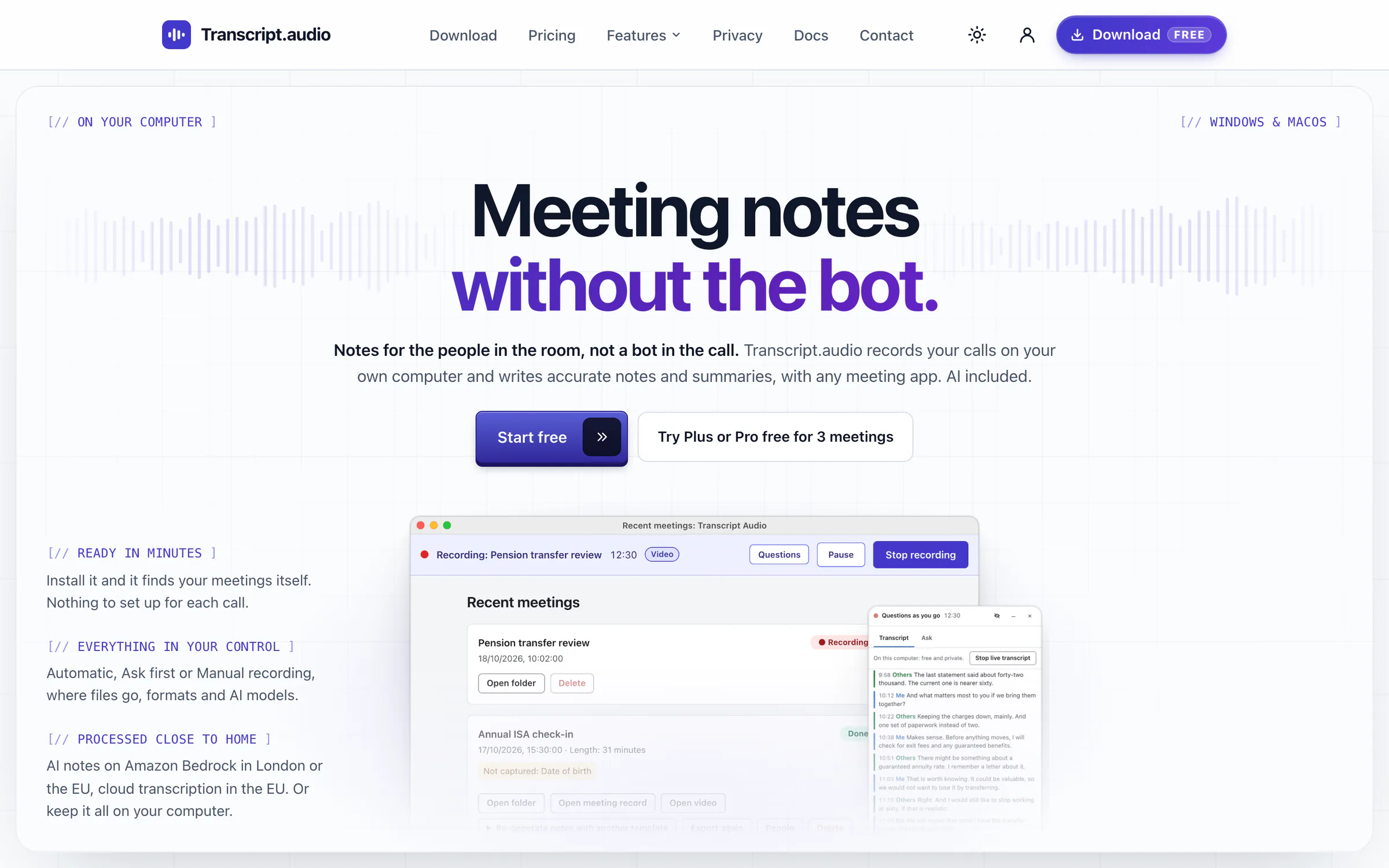
Transcript.audio is my own product, from Harvie Software Solutions, the same company behind WebLothian. It writes notes of your calls without sending a bot into the meeting: the app spots the call on your own computer, records it there and writes the notes and the summary. I built all of it: the website with its help pages and a live demo, the Mac and Windows apps, the accounts, card payments and admin panel, and the AI service behind them. A working app was in a pilot's hands on the day of the first commit, and the full product site went live 12 days later. The website is live, and the two apps are in final testing before the installers go up for download.
What this means for your business
The bot that joins your meeting is the part people dislike, so the product leads by leaving it out. A clear idea like that, built properly from the website to the apps to the payments, is something you can sell. The same approach works for your idea, whatever its size.
What the owner gets
- No bot in the call
- Mac and Windows apps
- Recordings stay on your computer
- Answers during the meeting
- A free plan to start
The brief
Meeting notes, without a bot joining the call
Most meeting note tools work by sending a bot into the call. Everyone sees it join, some clients ask for it to leave, and the recording ends up on somebody else's computers.
The idea was the opposite: an app on your own computer that notices when a call starts, in any meeting app, records it there and writes the notes afterwards. Privacy first, with a mode that keeps the transcription on the computer, a free plan to try it properly, and paid plans for people who use it every day.
It had to work on a Mac and on Windows, keep itself up to date, and be sold and supported from one website, with an admin panel to run it all.
What I built
One person, every part of it
The website
Built with React, written to be found on Google, and the shop window for the whole product.
- A home page, a page for every feature, a page comparing the AI models for each job, and a page on privacy optimised mode
- Free, Plus and Pro plans, monthly or yearly, with a free trial of the paid plans and card checkout through Stripe
- Help and docs with a search box, five-step setup guides for Mac and Windows, and a help assistant
- An interactive demo of Questions as you go: a fictional meeting plays line by line and visitors try the quick questions, with no AI bill run up by anonymous visitors
- Sign-in by email link, Google, Apple, Microsoft or GitHub, an account page with devices and billing, a public roadmap with idea voting, a changelog and a launch waitlist
The Mac and Windows apps
One Electron app for both, with a small native helper on each system to capture the sound of the call.
- Automatic meeting detection: it notices when Zoom, Teams, Webex, Slack, FaceTime or a meeting in the browser starts using the microphone, then records after a short countdown, asks first or waits for you
- Recording on the computer, and transcription on the computer itself (Whisper on a Mac, Parakeet on Windows)
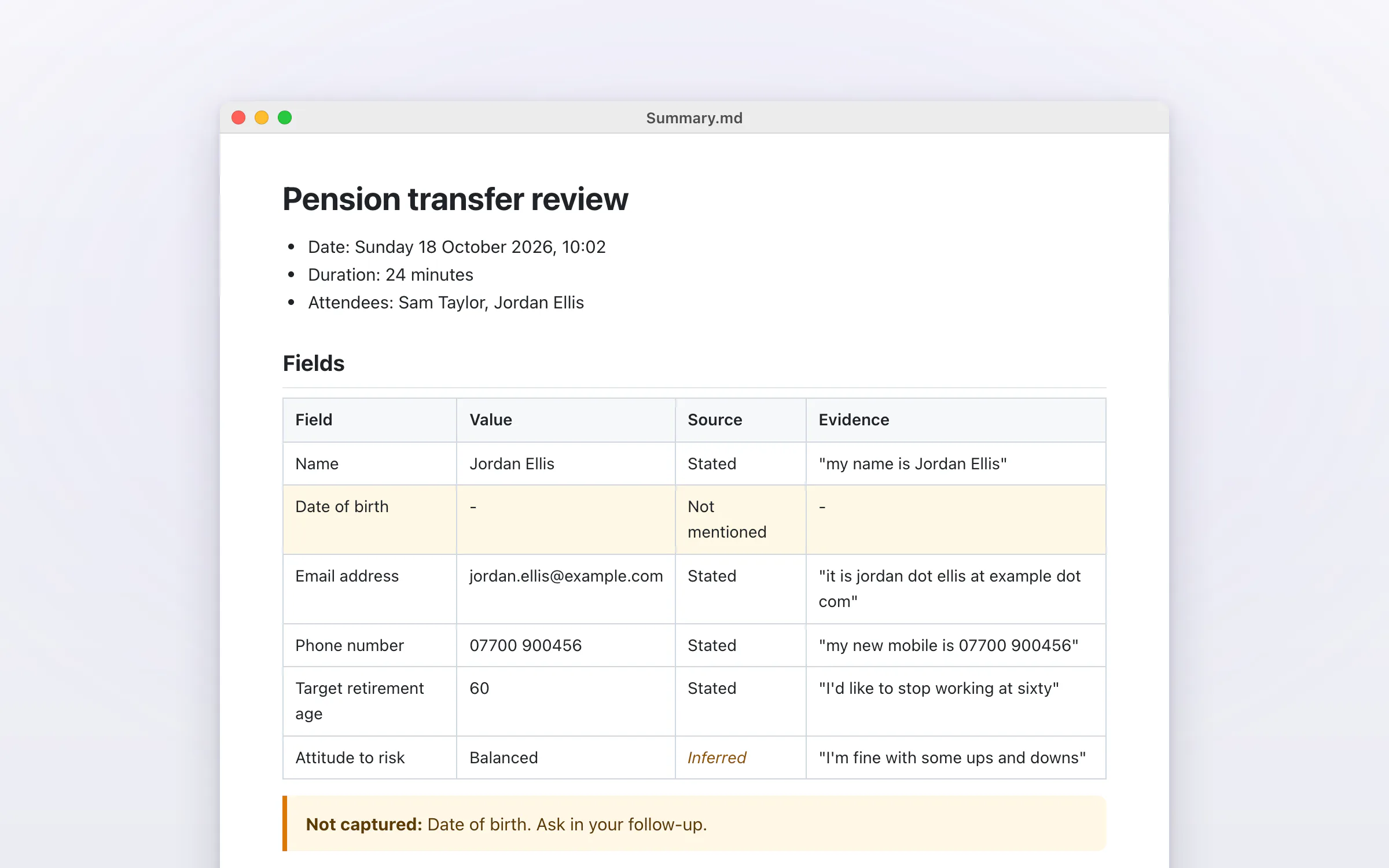
- AI summaries and notes from templates, every detail with the words it came from, speakers named, and exports to Word, Markdown, plain text, subtitles and more
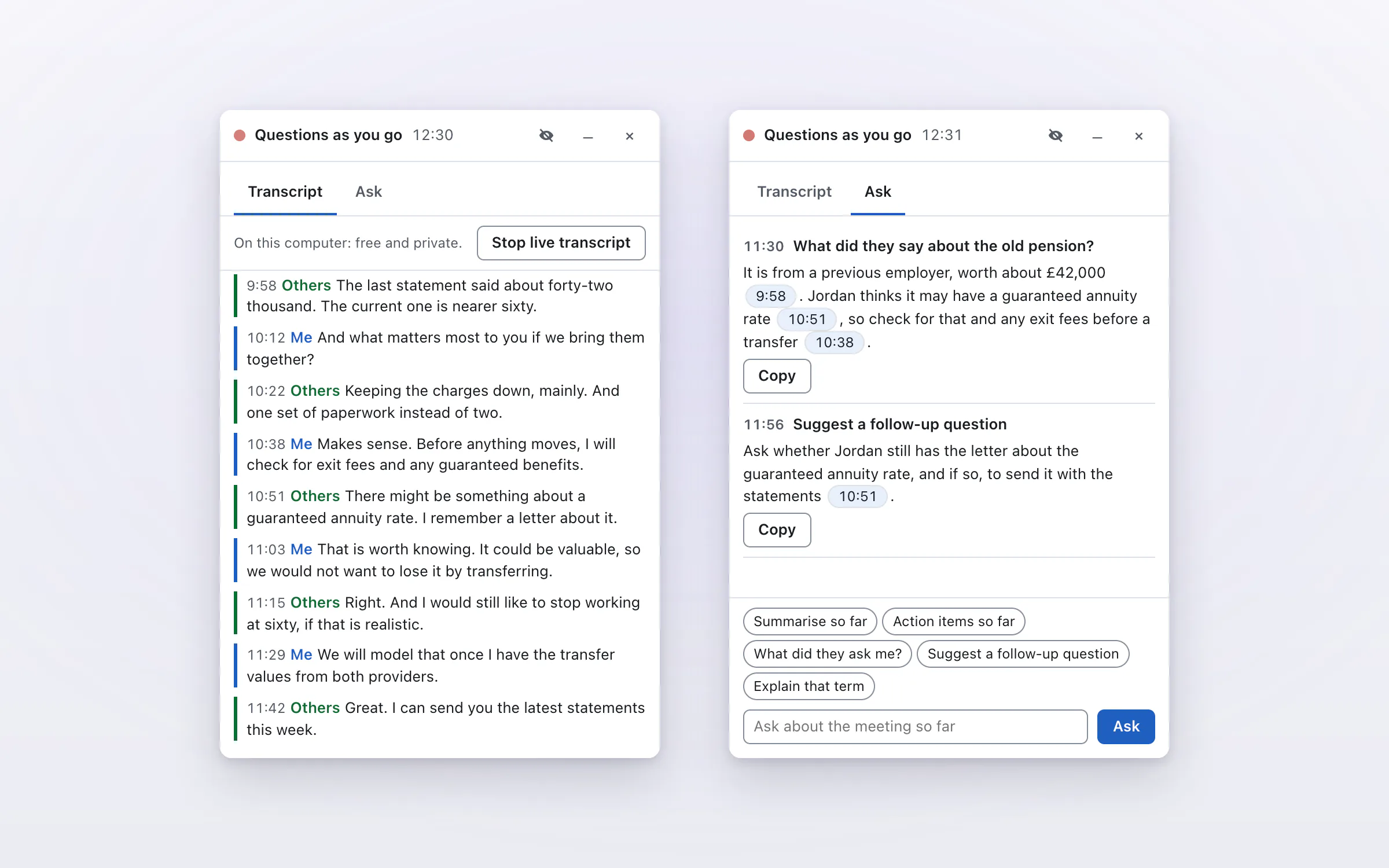
- Questions as you go: ask about the meeting while it is still happening and get an answer in seconds, with clickable times back into the transcript
- Signed automatic updates that roll back to the last good version if a new one misbehaves, and error reports only for people who opt in
Behind the scenes
Amazon Web Services and Vercel, written down as code so the whole thing can be rebuilt the same way every time.
- Amazon DynamoDB for accounts, S3 for storage and SES for email, all defined in CloudFormation
- The website signs in to Amazon with short-lived OIDC credentials from Vercel, so no long-lived keys are kept anywhere
- Stripe billing with trials, plan changes and a billing portal, and licences signed with Ed25519 so the app can check a plan offline and nobody can forge one
- An AI service on AWS Lambda that meters every request, gives each user a monthly AI allowance and moves to cheaper models rather than cutting anyone off
- An admin panel with visitor analytics, a sign-up funnel, price experiments, the launch waitlist, error reports, support, the roadmap and referrals
- Budgets, an audit trail and threat detection switched on across the Amazon account before launch
Highlights
Private, secure, quick to find and easy to use
- Private by design: the recordings themselves are always kept on the computer, and a privacy optimised mode on every plan, Free included, keeps the transcription there too, and the notes as well with a local AI model
- When the cloud is used, the AI providers work under zero data retention, so a transcript is summarised and then discarded rather than kept
- Every form behind rate limits, attackers banned automatically, and a visitor's internet address stored only as a one-way scrambled code, never as the address itself
- Each account's data filed under its own key, licences signed so they cannot be forged, and a hard stop on AI spending so a fault can never run up a bill
- Built to be found: page titles and descriptions, a sitemap, eight how-to guides, labels search engines and AI assistants read, and search engines told the moment a page changes
- Accessible: an accessibility pass across the website, automatic accessibility tests on every change, and a still version of the motion for anyone whose device asks for less
The process and timeline
A working app on day one, the full product in 12 days
Every date and figure here comes from the project's own history: its saved changes (commits), the branches merged into the main line and the pull requests reviewed on GitHub. The code is private, so each step carries its reference rather than a link.
The project in figures
- a working Mac and Windows app, packaged as a private pilot build, on 18 October, the day of the first commit
- Day 1
- a working Mac and Windows app, packaged as a private pilot build, on 18 October, the day of the first commit
- to the full product site: accounts, Stripe checkout, an admin panel and a launch waitlist, ready to take money at launch
- 12 days
- to the full product site: accounts, Stripe checkout, an admin panel and a launch waitlist, ready to take money at launch
- saved changes (commits) on the main line
- 617
- saved changes (commits) on the main line
- branches merged, 5 of them as reviewed pull requests
- 156
- branches merged, 5 of them as reviewed pull requests
- automated tests, counted in the test files
- 5,000+
- automated tests, counted in the test files
Figures taken from the project history on 1 November 2026.
01 · 18 October
A working app on day one
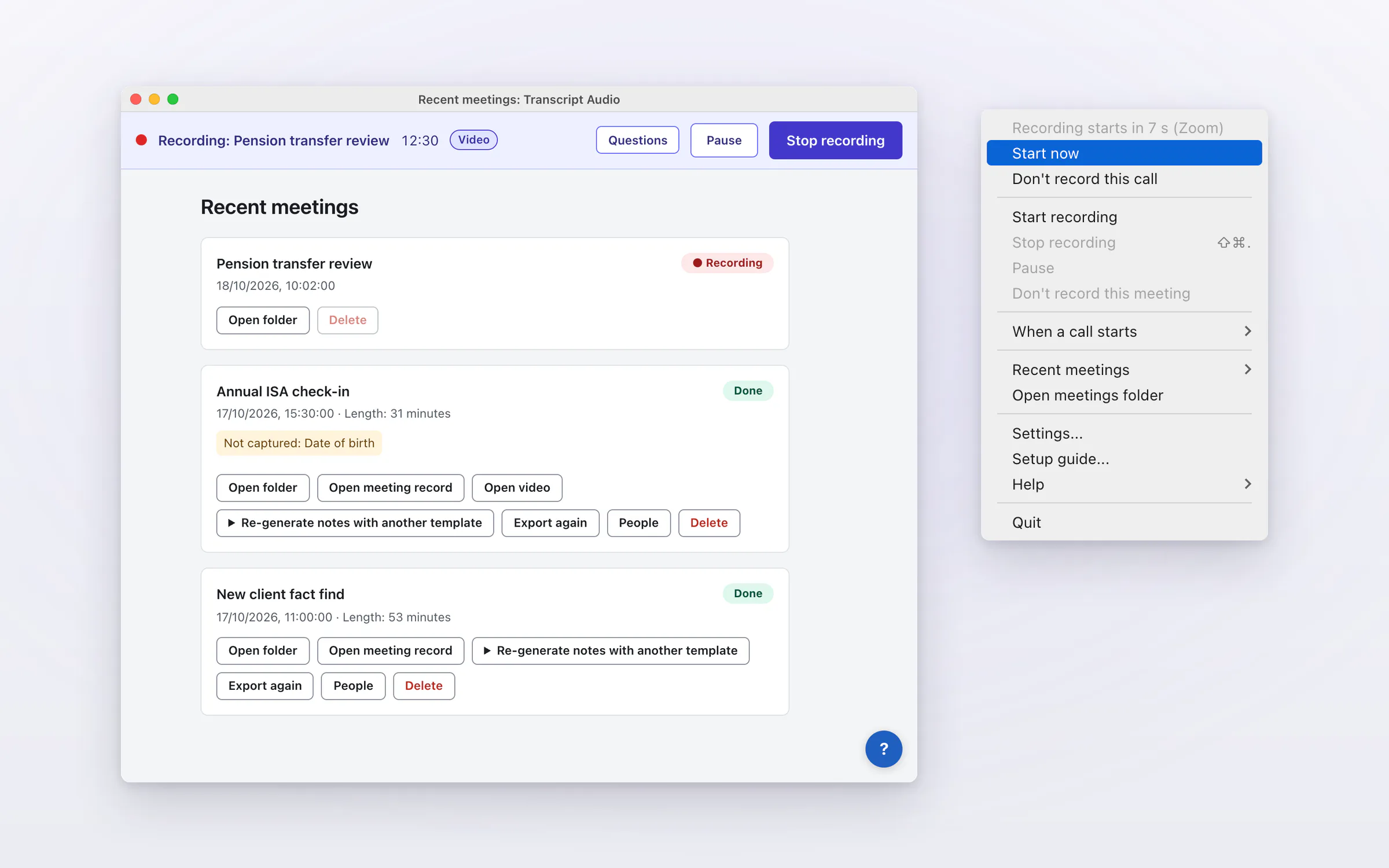
From the first commit to an app that notices a call, records it and turns it into notes, on a Mac and on Windows, with installers for a private pilot build the same day.
Key steps
- Sound capture helpers for macOS and Windows, sharing one set of rulesReference: 0d45fb2
- From a recording to a transcript and a summaryReference: 900fa23
- The menu bar app: detection, recording, settings and a setup guideReference: 0ff61cb
- Installers for Mac and WindowsReference: d65d7c4
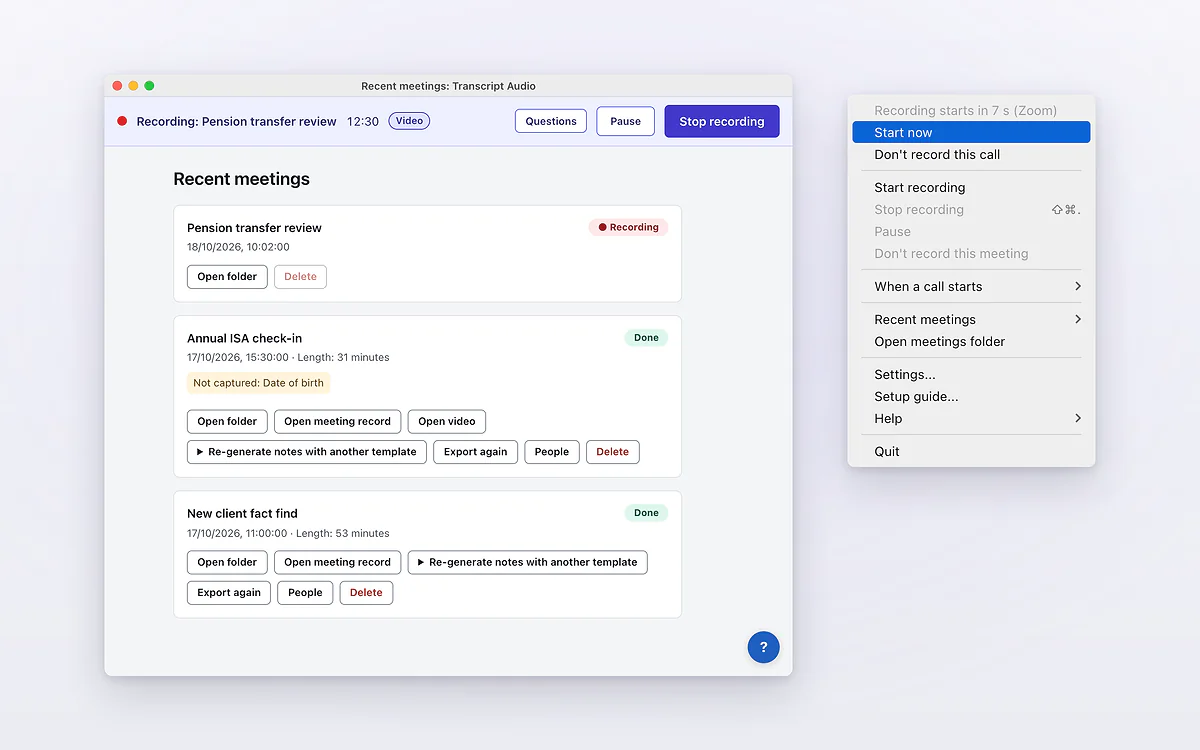
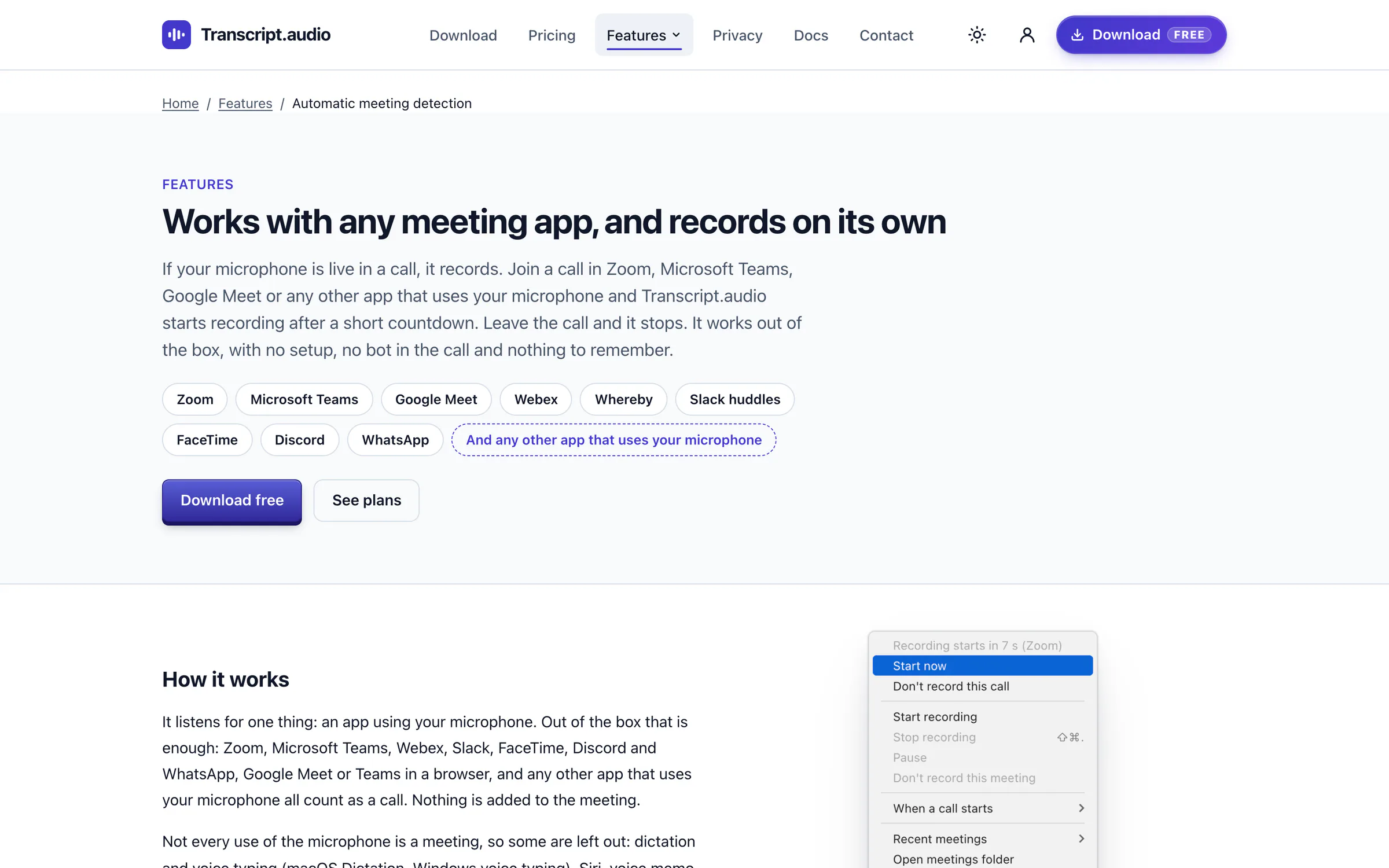
The Mac app with fictional sample meetings, beside the menu bar menu counting down before it records a call. 02 · 19 to 29 October
Transcription on the computer, and updates
Speech turned into text on the computer itself, and new versions that arrive and install on their own.
Key steps
- Transcription that runs on the computer itselfReference: 5358188
- In-app updates, switched onReference: a0ee3da
- Three tested releases, 0.2.0 to 0.2.2Reference: v0.2.2
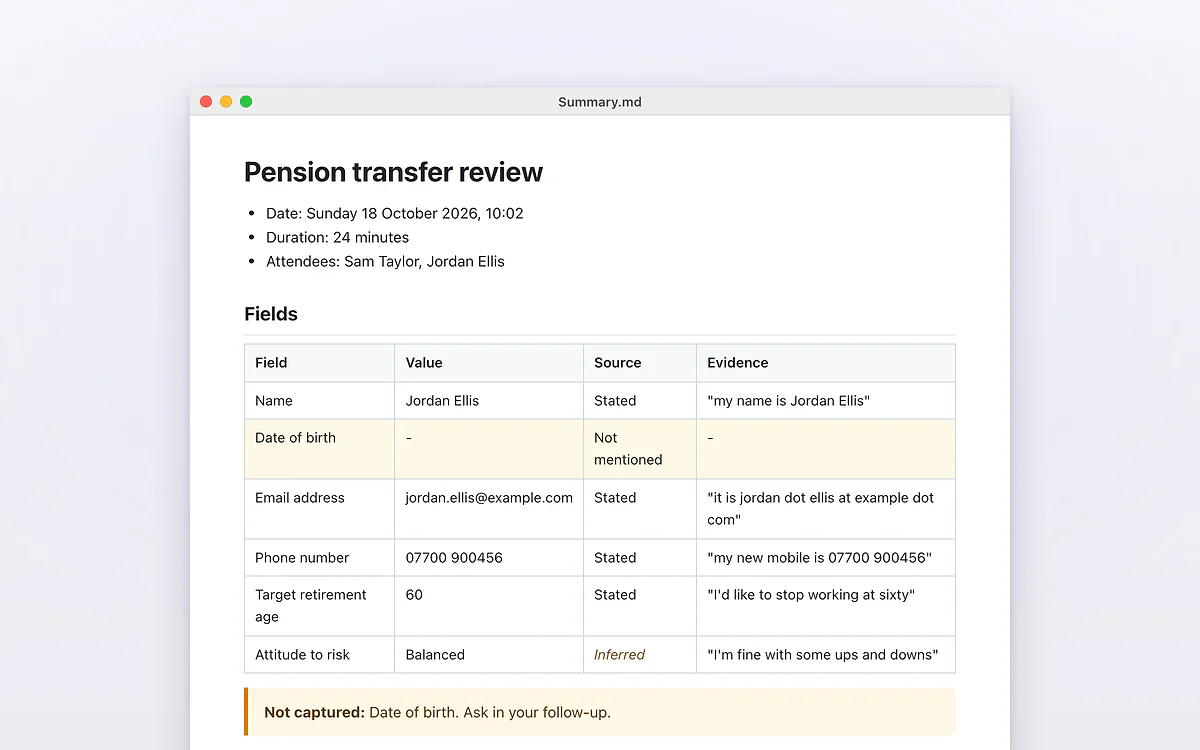
A summary written from a fictional meeting: every detail with the words it came from, and what was not captured. 03 · 30 October
From a recorder to a product
The Transcript.audio name, sign-in, plans, a website that sells them with card checkout, and an AI service that meters every request. The site went live that night.
Key steps
- Renamed Transcript.audioReference: 2060f7f
- Sign-in in the app, signed licences, Free and paid plans and a trialReference: acf8d16
- The website, with its own accounts, Stripe checkout and the licence serviceReference: 7cb1954
- The AI service on Amazon Web Services, with metering and fair useReference: cc103b4
- Questions as you go: a live transcript and live answersReference: 78512fc
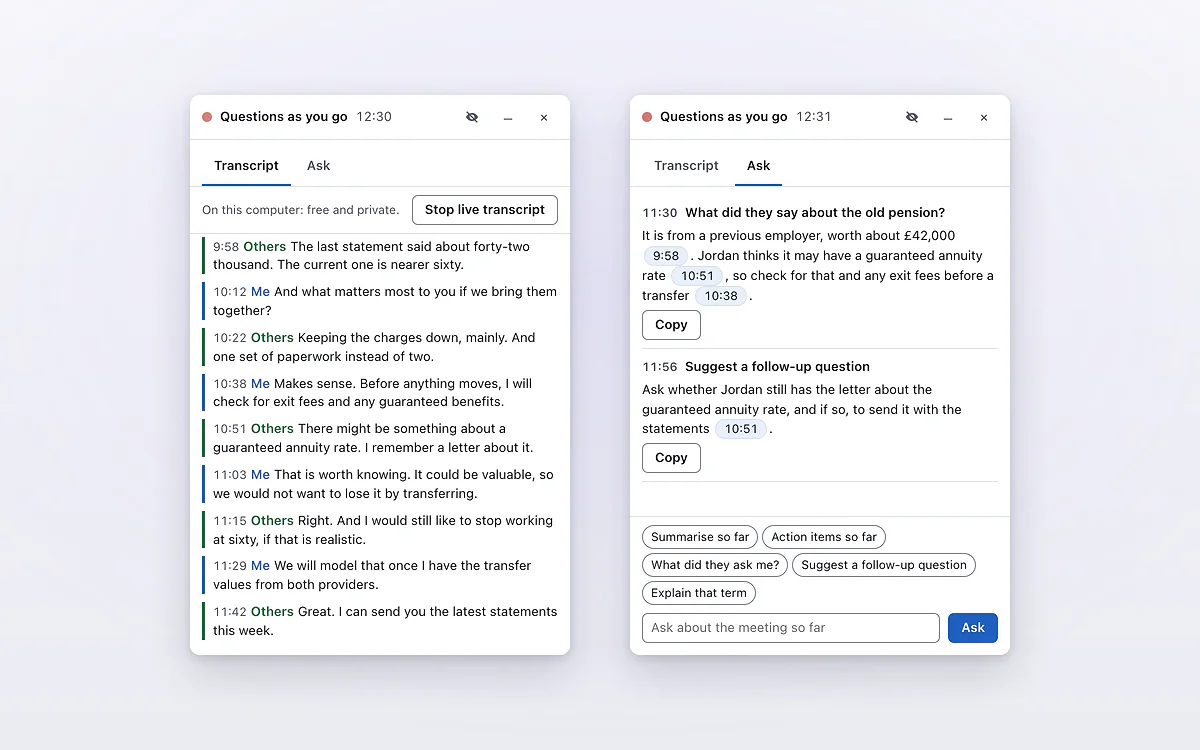
Questions as you go in the Mac app: the live transcript, and answers with clickable times while the call goes on. 04 · 31 October, early hours
Ready to take money
An admin panel to run it, plans for buyers worldwide, a safety net on the Amazon account and accessibility checks.
Key steps
- The admin panel: analytics, the roadmap, referrals and contentReference: 2b8de87
- Amazon account safety net: budgets, a hard stop on AI spending, an audit trail and threat detectionReference: PR #2
- Plans for a worldwide launchReference: PR #3
- An accessibility pass across the websiteReference: PR #4
- Accessibility and form tests on every pull requestReference: PR #5
05 · 31 October, daytime
Design and search
A redesigned front page in light and dark, and a site written to be found.
Key steps
- The redesigned front page, with the launch waitlist up frontReference: ef7ed8f
- A lighter hero, a dark version and the live demo on the front pageReference: e0e5586
- Page titles and descriptions, eight how-to guides, a sitemap and instant updates to search enginesReference: 6e92d65
- Motion across the front page, with a still version for reduced motionReference: 0784b07
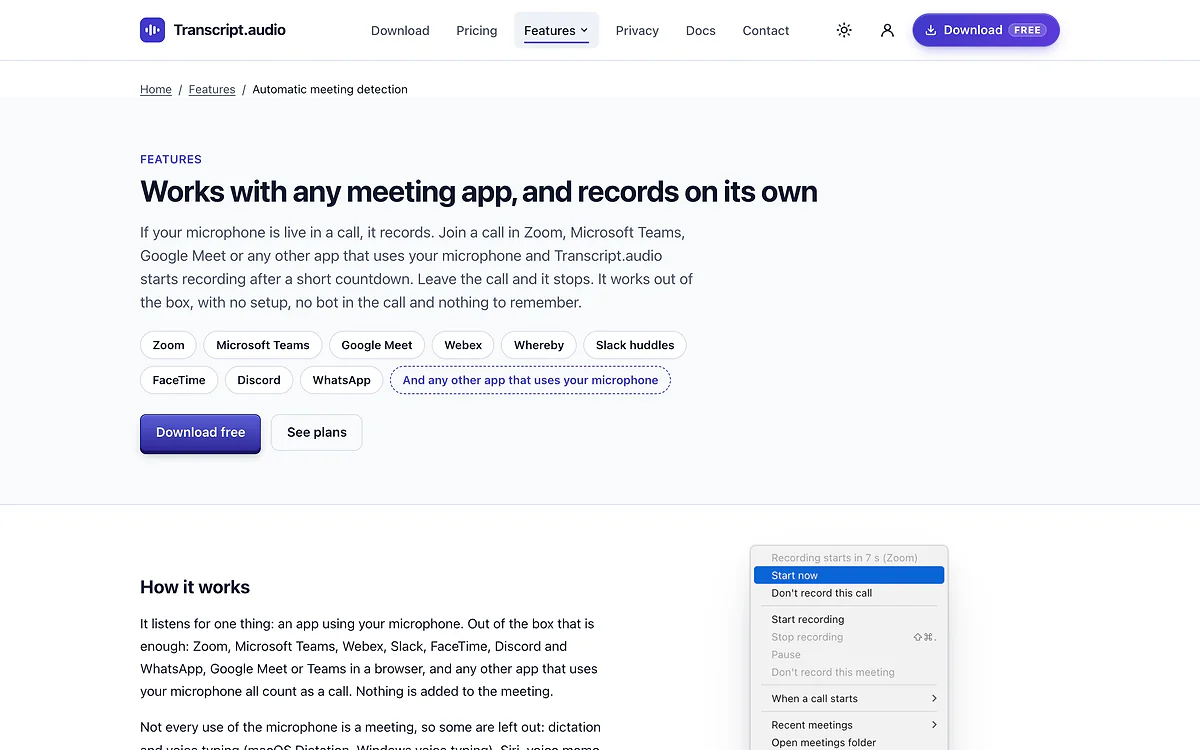
A page for every feature, written to be found: here, automatic meeting detection with any meeting app. 06 · 31 October, evening
Budgets, updates and speed
A fair AI allowance for every user, safer updates and a faster app.
Key steps
- A monthly AI allowance per user, with daily and per-answer capsReference: 89dcb95
- Opt-in error reports, a changelog page and automatic update settingsReference: 58920c4
- Rolling back to the last good version if an update misbehavesReference: f6b6a8a
- Speed work across the app: a faster meeting list, caching and lighter loggingReference: e0fd21e
The results
Where it stands today
- The website is live at transcript.audio, with help and docs, a page for every feature, a public roadmap and the live demo
- The Mac and Windows apps are built and in final release testing, with a waitlist open on the download page
- Accounts, Stripe checkout, licences, the AI service and the admin panel are in place, so the paid plans can be sold the day the installers go up
- Over 5,000 automated tests across the website, the apps and the AI service
- A free plan, so anyone can try it on their own meetings before paying
Inside the app
The screens
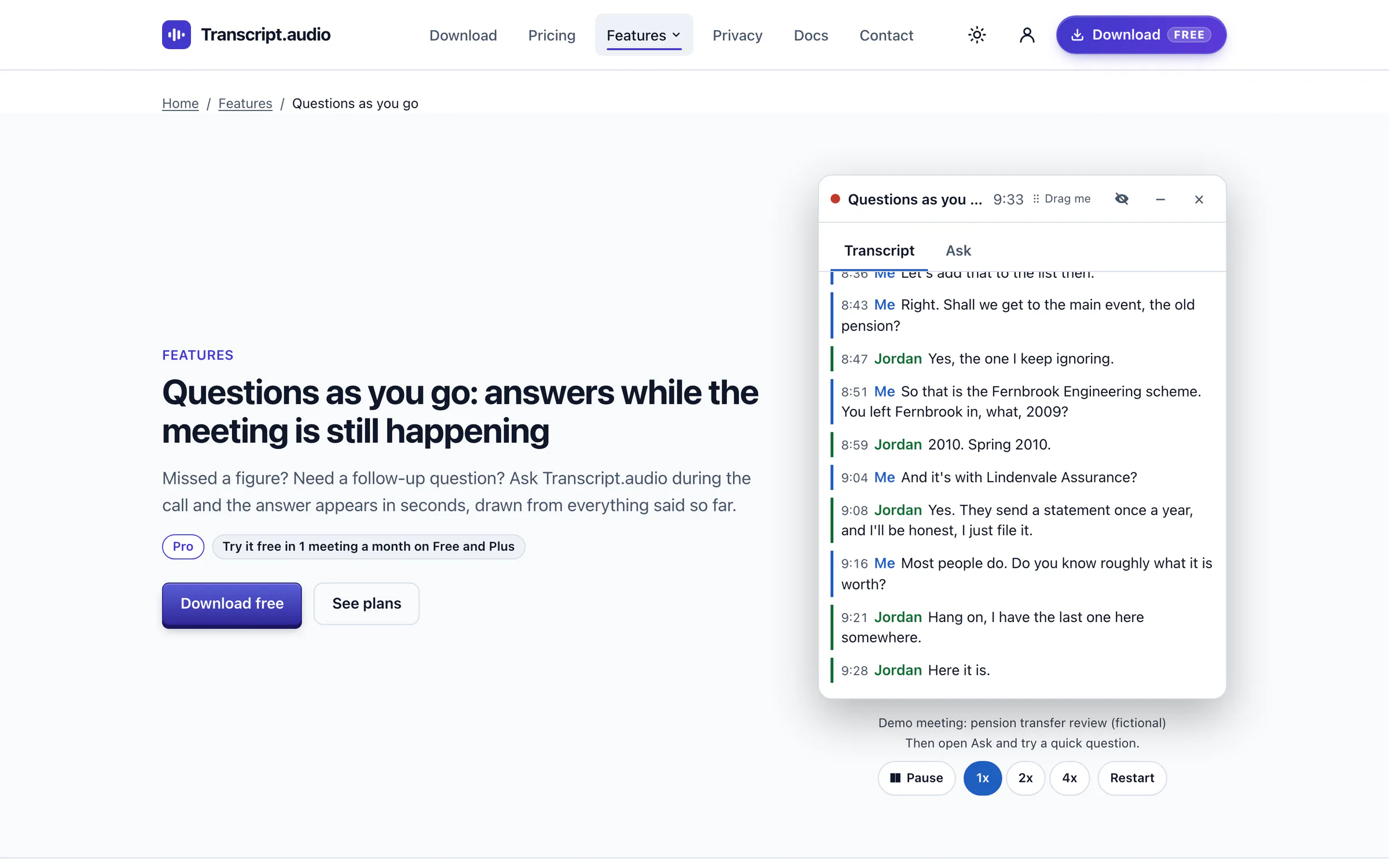
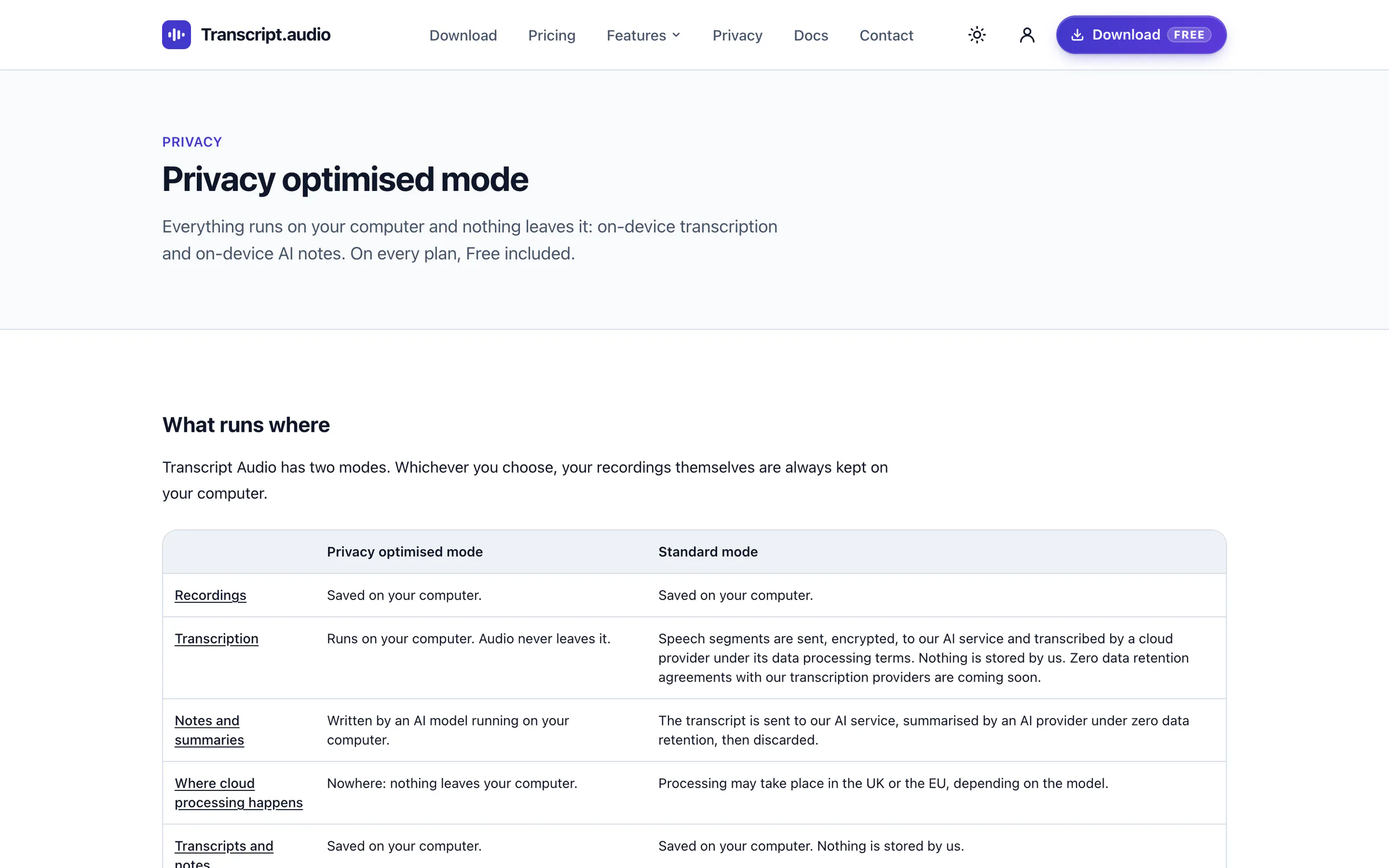
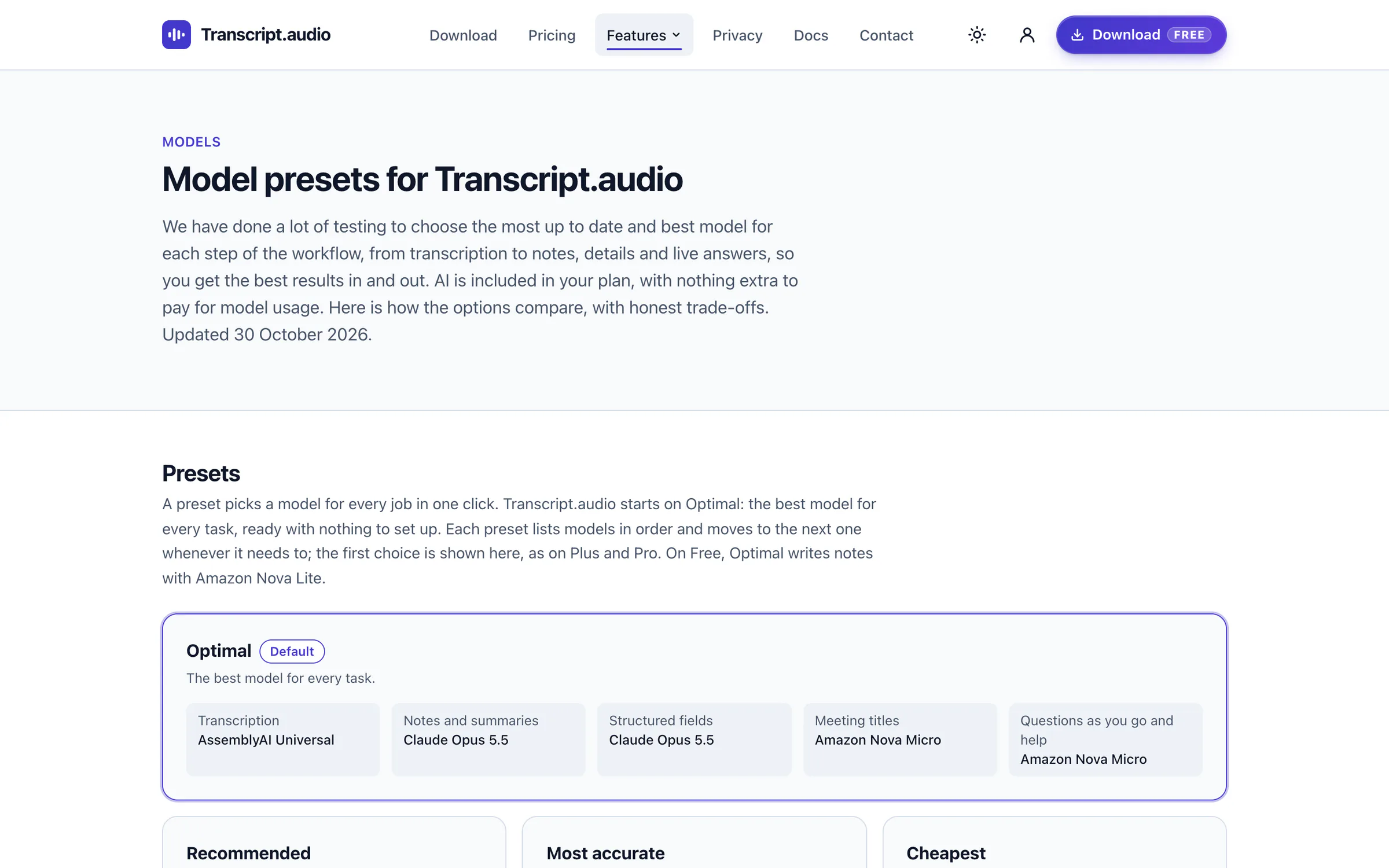
Screenshots with sample data. Every name and detail is fictional.
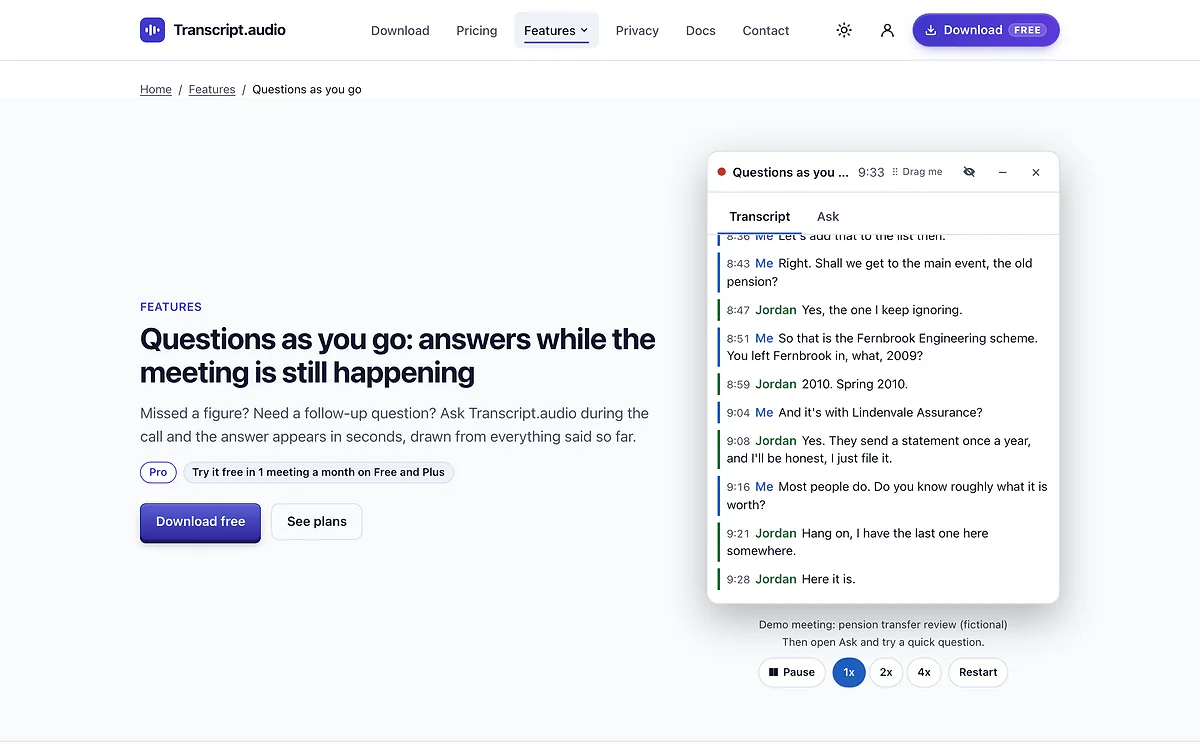
The Questions as you go page, with a demo that plays a fictional meeting line by line. 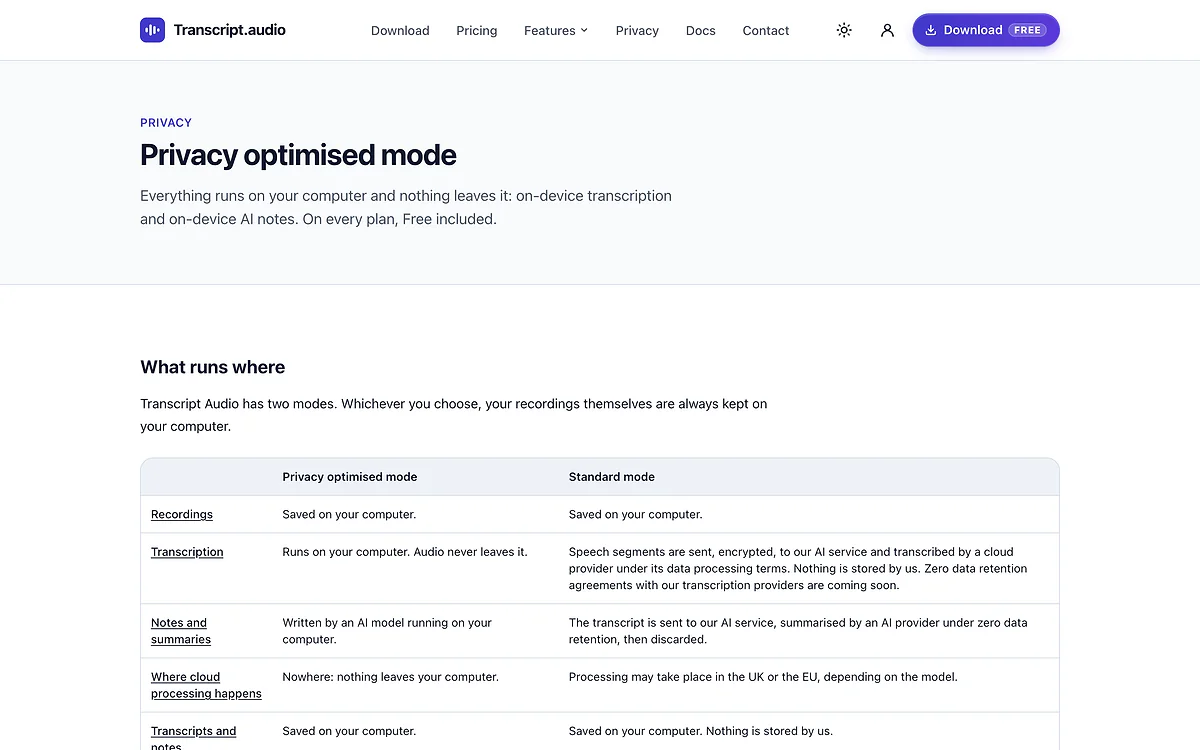
Privacy optimised mode: what runs where, step by step, in plain words. 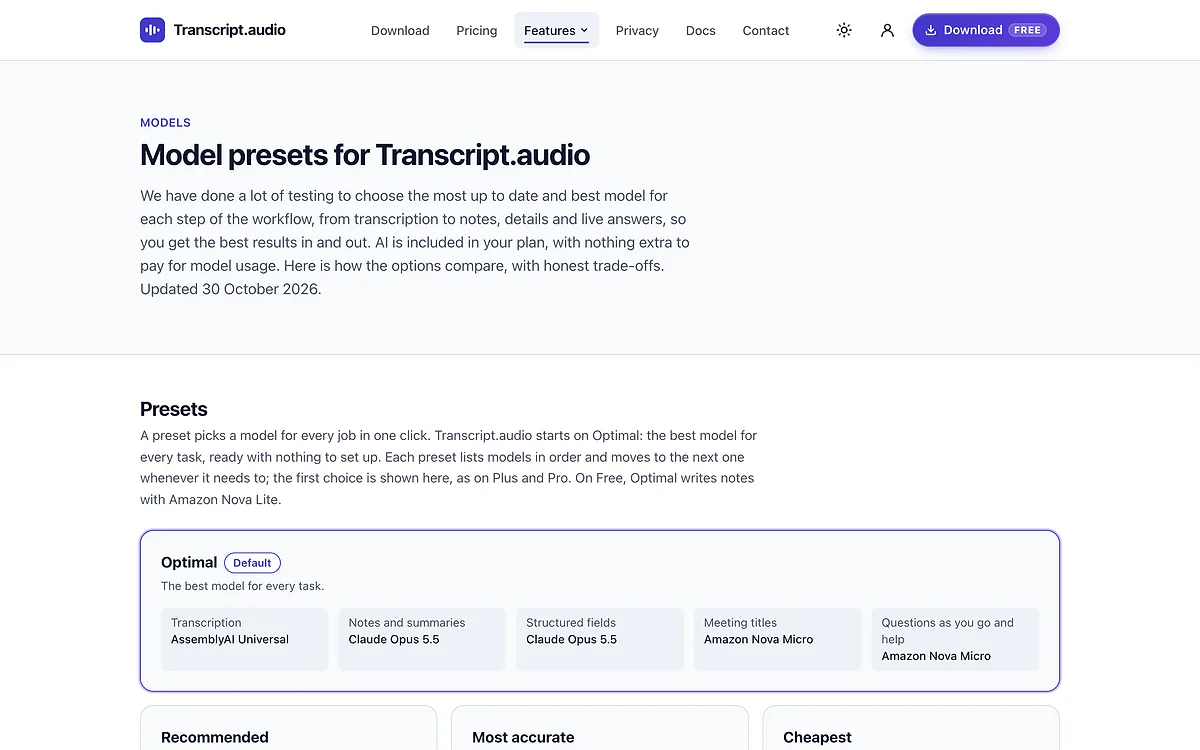
The AI models page: the model chosen for each job, with honest trade-offs. 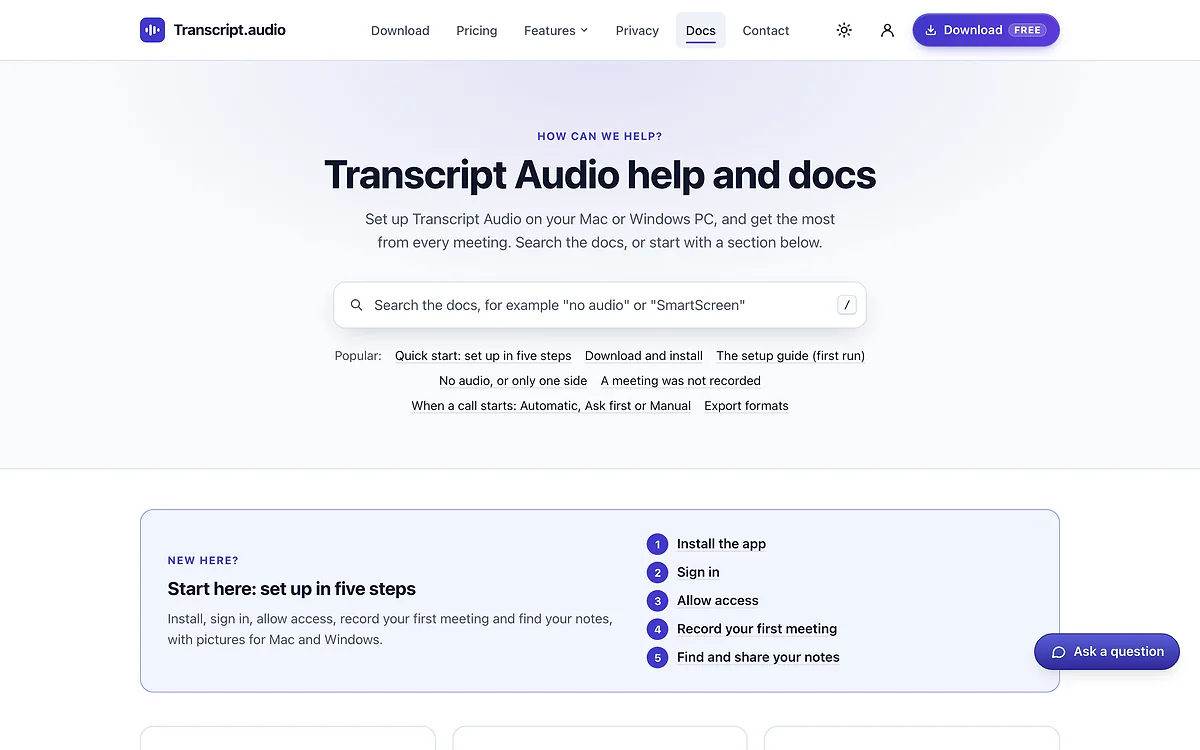
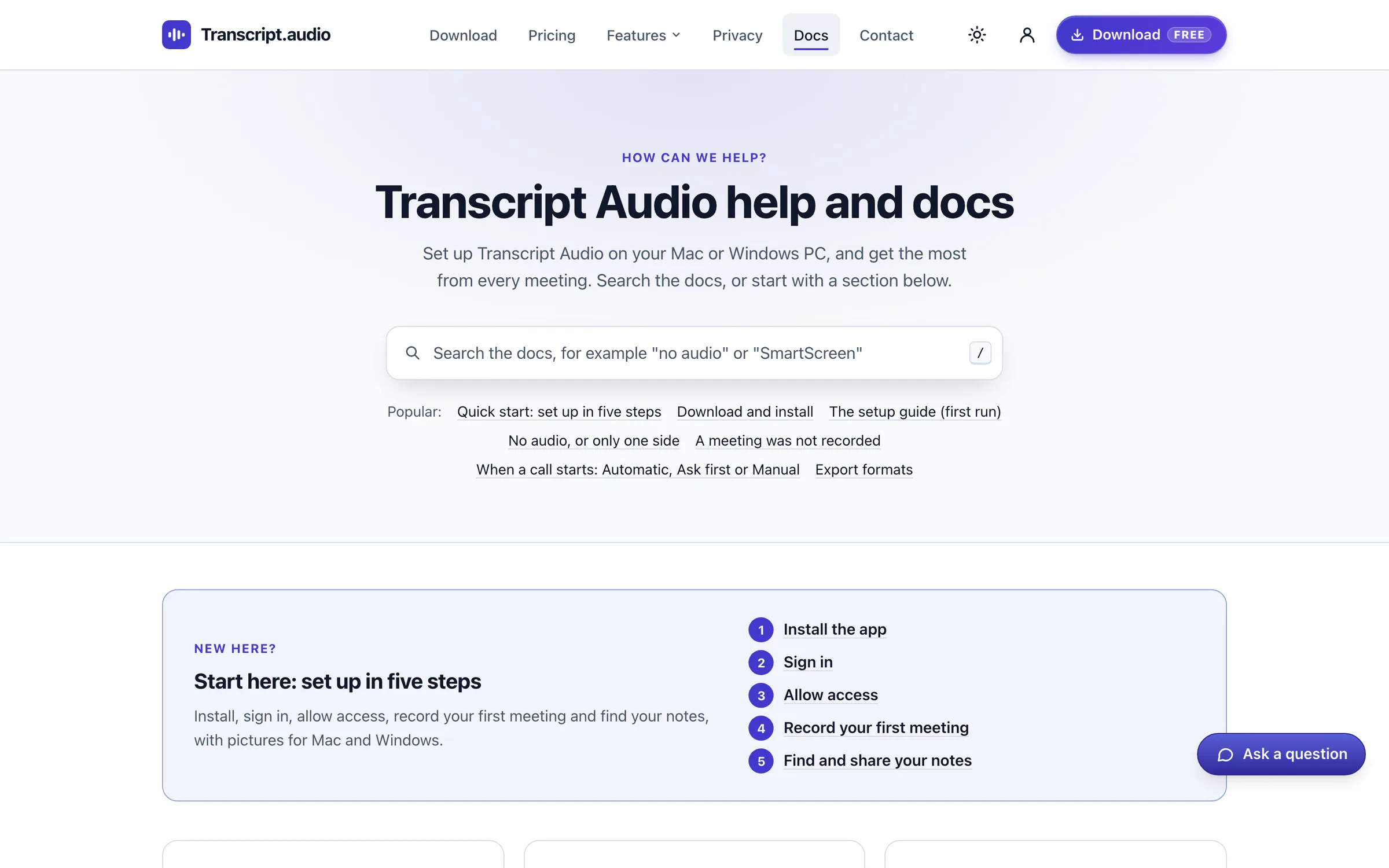
Help and docs: a search box, the popular guides and a five-step start for new users on Mac and Windows.
Services
The services behind it
The same work is on offer for your business, one service at a time.
- Website creationA website that turns searches into phone callsTurns the people already searching for what you do into phone calls and enquiries, rather than losing them to a slow, unclear site.See the service
- App creationYour own app on their phone, Windows or MacAn app with your name on the customer’s home screen, or a tool on your own computers that does the job your spreadsheet cannot.See the service
- AI for your businessLess admin, and customers answered out of hoursReminders that send themselves, customers answered out of hours, and a website you change by typing a sentence.See the service
- Admin panelKeep your website fresh without waiting on anyoneNew pages written for you to check and approve, your reviews in one place, and a clear view of where your calls come from.See the service
Try Transcript.audio
Notes for the people in the room, not a bot in the call
Transcript.audio records your calls on your own computer and writes accurate notes and summaries, with any meeting app. It is for anyone who spends the day on calls and would rather listen than type: advisers, consultants, recruiters, founders, and anyone whose clients would not welcome a bot in the room.
Start on the Free plan, with no card needed. Plus adds unlimited meetings, Pro adds live answers in every meeting, and both can be tried free for three meetings.
The Mac and Windows installers are in final testing, so the download page has a waitlist until they go up.
On the free plan
- Three meetings a month on Free, no card needed
- Any meeting app, detected and recorded automatically
- Transcription on your computer
- Questions as you go in one meeting a month
- Privacy optimised mode, on every plan
More work
More results, live today
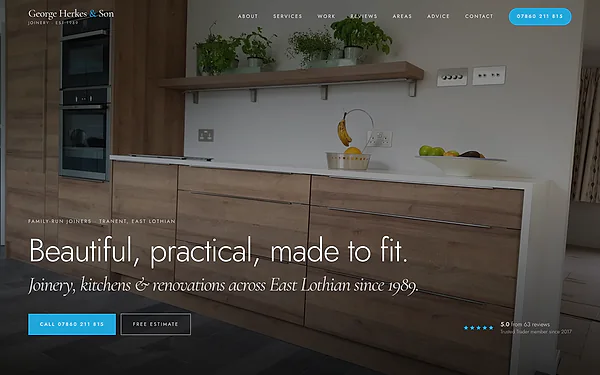 GHS JoineryA joiner found across East Lothian, with every call countedA page for every townA new article every weekFound by Google and AI searchSee the result
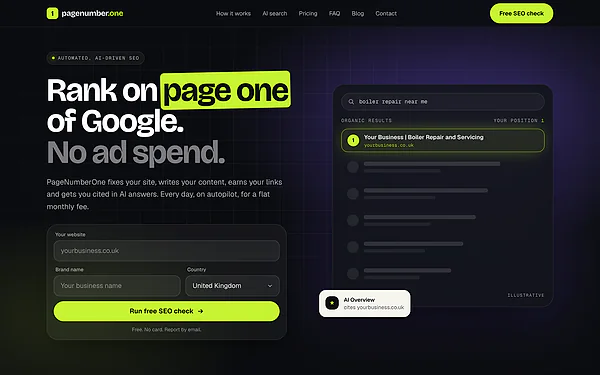 PageNumberOneAn SEO subscription service that largely runs itselfFree check, report by emailPlans ordered onlineA brief after every orderSee the result
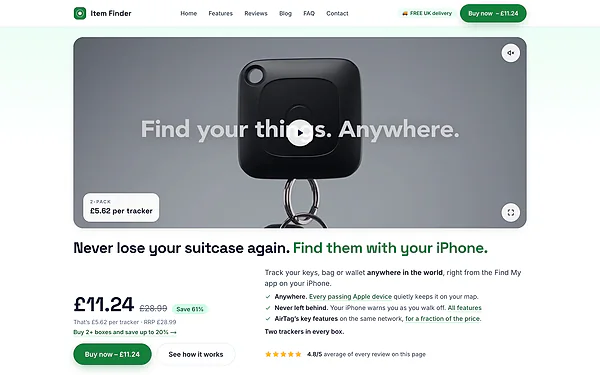 ItemFinderSix online shops, run as oneSix shops, one systemPay without leaving the pageReferral schemeSee the result
Bring your idea to life, or make your website much better
Transcript.audio went from its first line of code to a working app in a pilot's hands the same day, and to a full product site ready to take payments 12 days later. I can build your idea the same way, or bring features like these to the website you already have: things that happen on their own with nothing to set up (here, recording with no bot in the call), privacy that keeps your customers' data on their own computer or under zero data retention, live answers from AI while someone is using it, card payments and free trials through Stripe, an admin panel with visitor analytics and price experiments, and pages written to be found on Google and by AI assistants. Tell me what you have in mind, and you get a straight answer and a written quote.
Free, no obligation, and a written quote before any work starts.